
Goal Tree
Do all your efforts contribute to the programme’s goals? With the programme team you turn the vision into a goal tree: the main goal, the subgoals and the operational goals, with the efforts below them. That lets you see which effort contributes to which goal, and where gaps remain.
- Where in Programme Driven Creation
- For the programme contract (the goals) and the phase plan (the efforts of that phase)
- With whom
- The programme team; for the efforts also project leaders and experts
- How long
- About 2 hours and 45 minutes with all steps, often spread over two meetings
- Output
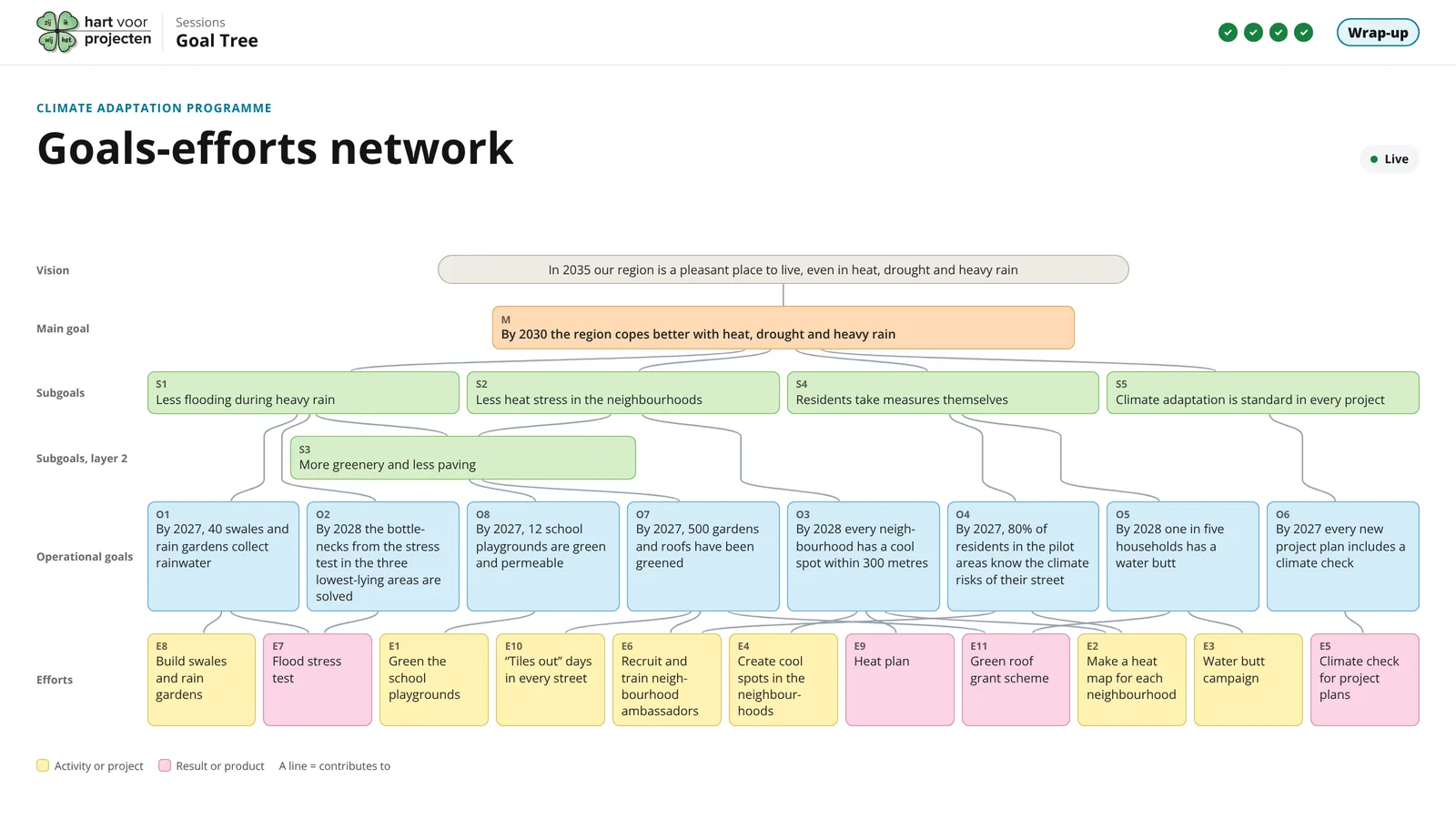
- Goals-efforts network (Excel, PDF, Word, image)
Why together?
In Programme Driven Creation the goal tree is the programme’s compass. A goal is often a means to a higher goal, and an effort can contribute to several goals: it is a network, not a tree that only branches downwards. If you build that network together with the programme team, you see together where efforts are missing or contribute to nothing: the gaps. With Sessions each group first builds its own pyramid of goals; then you build the shared network together.
How the session runs
Opening
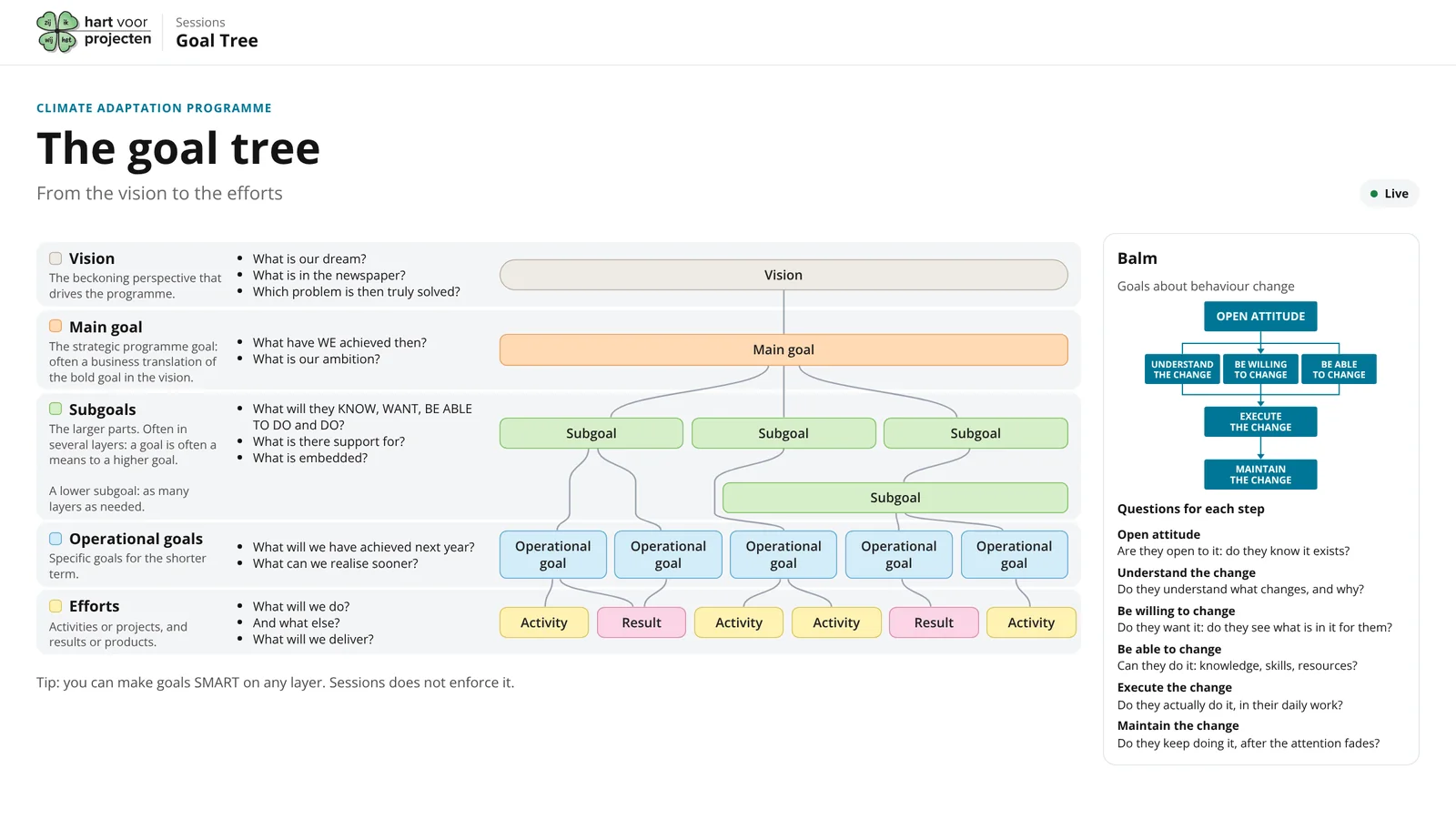
Everyone joins, preferably on a laptop. The facilitator puts the vision on the screen in large type, and then the layers of the goal tree: what each layer is and the guiding questions. Are the goals about changing behaviour? Then put Balm’s model alongside.
Goals
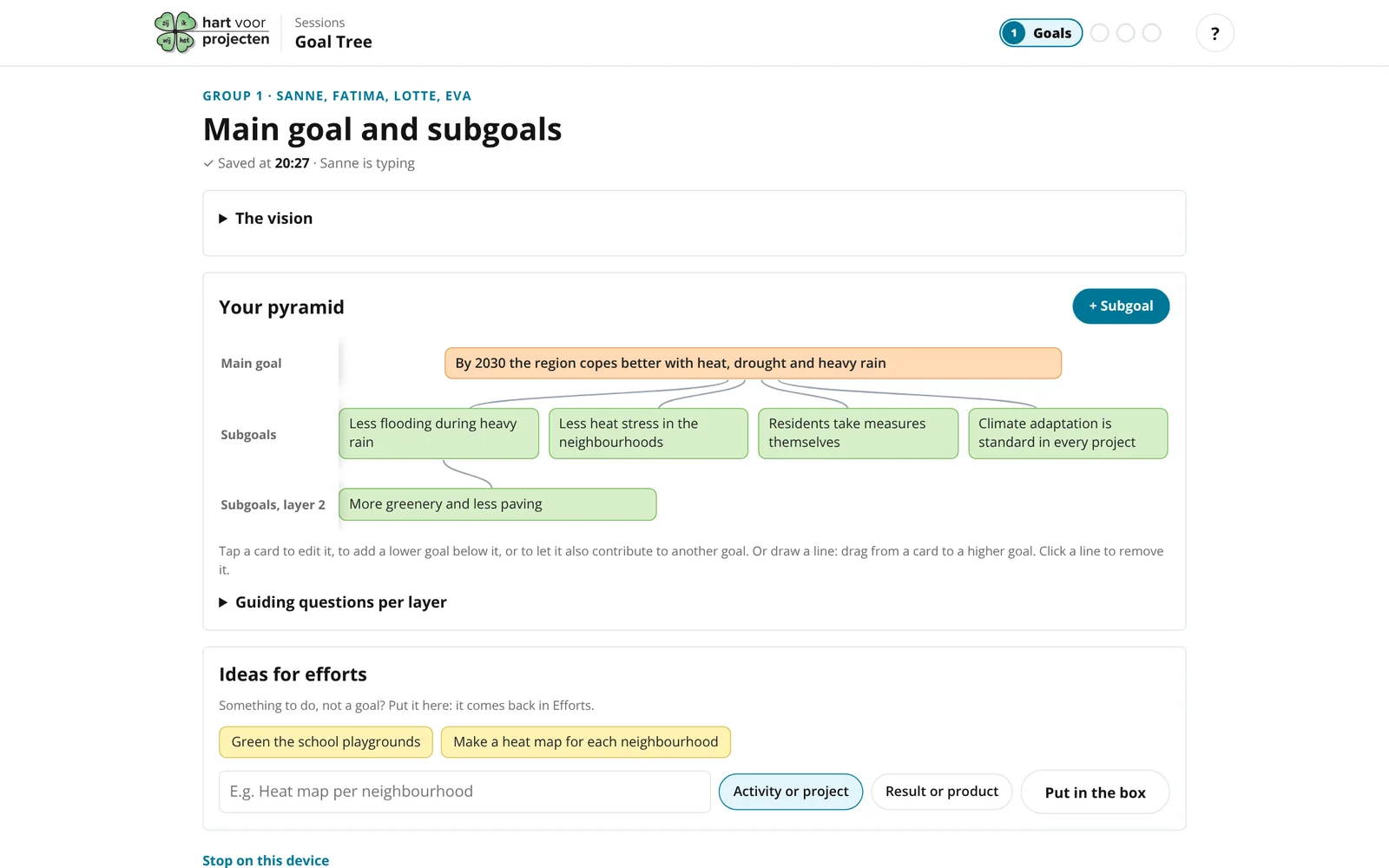
In small groups you put the main goal and the subgoals in a pyramid, with the vision at the top. Anything that is clearly something to do goes into the box of ideas for efforts. Then the screen puts the pyramids side by side, and you build the shared network together.
Operationalising
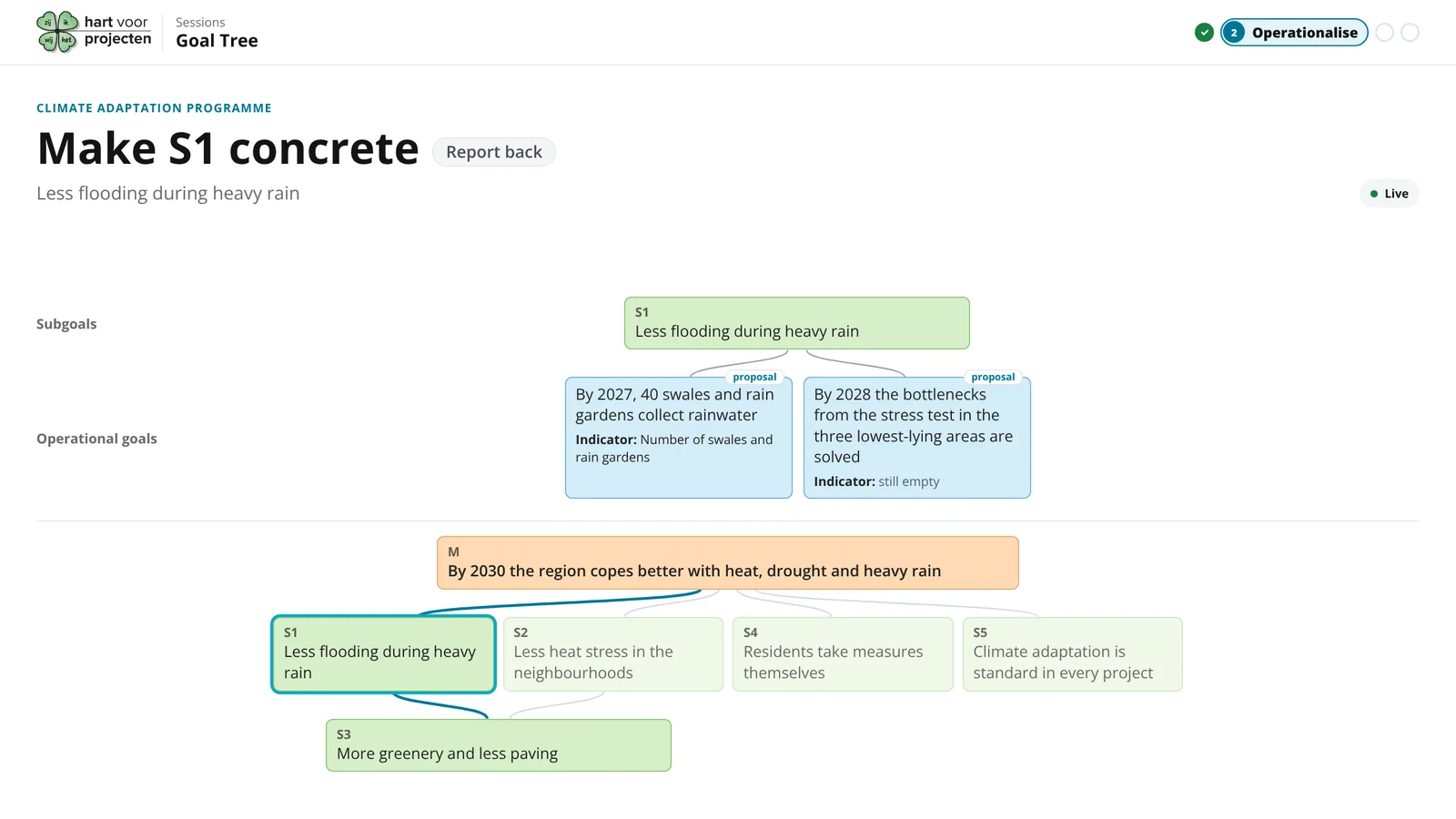
For each subgoal a group writes the operational goals: measurable, specific, acceptable and realistic, and with a year: “In 2027 …”. When reporting back, the proposals per subgoal are on the screen, with the whole network small underneath. The facilitator adopts what is right.
Efforts
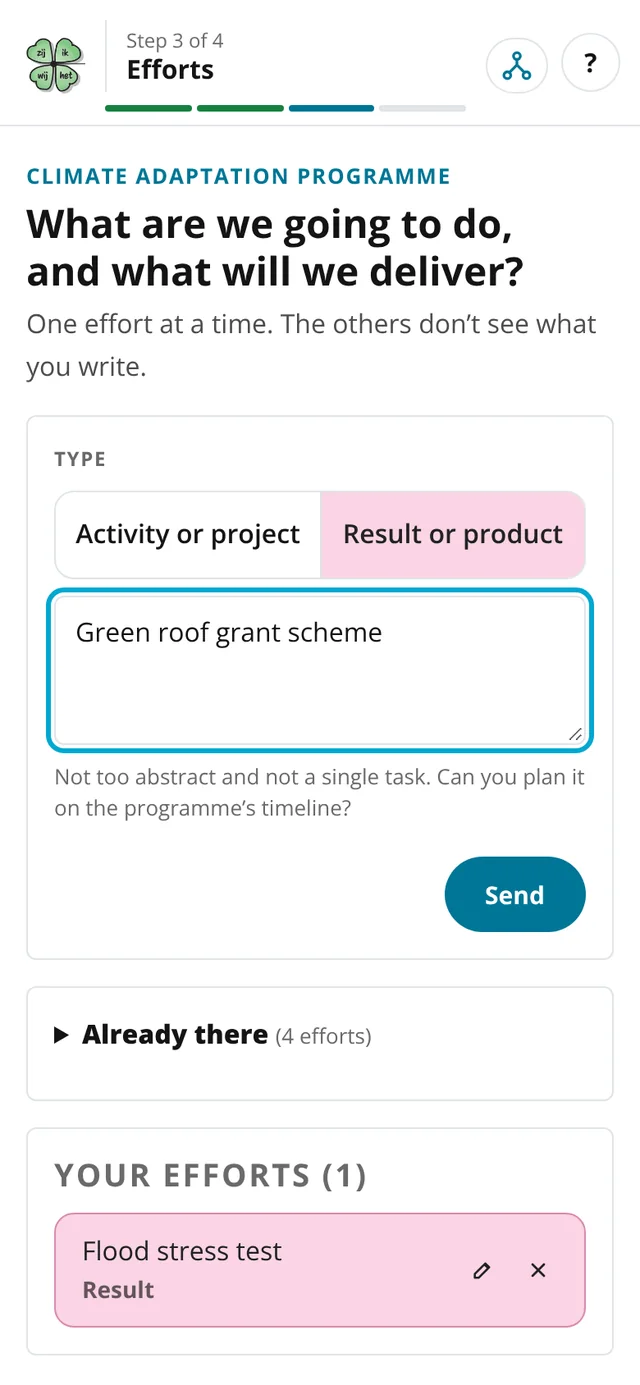
Everyone writes down efforts in silence, one at a time, and chooses the type: an activity or project, or a result or product. The facilitator then merges duplicates.
Connecting
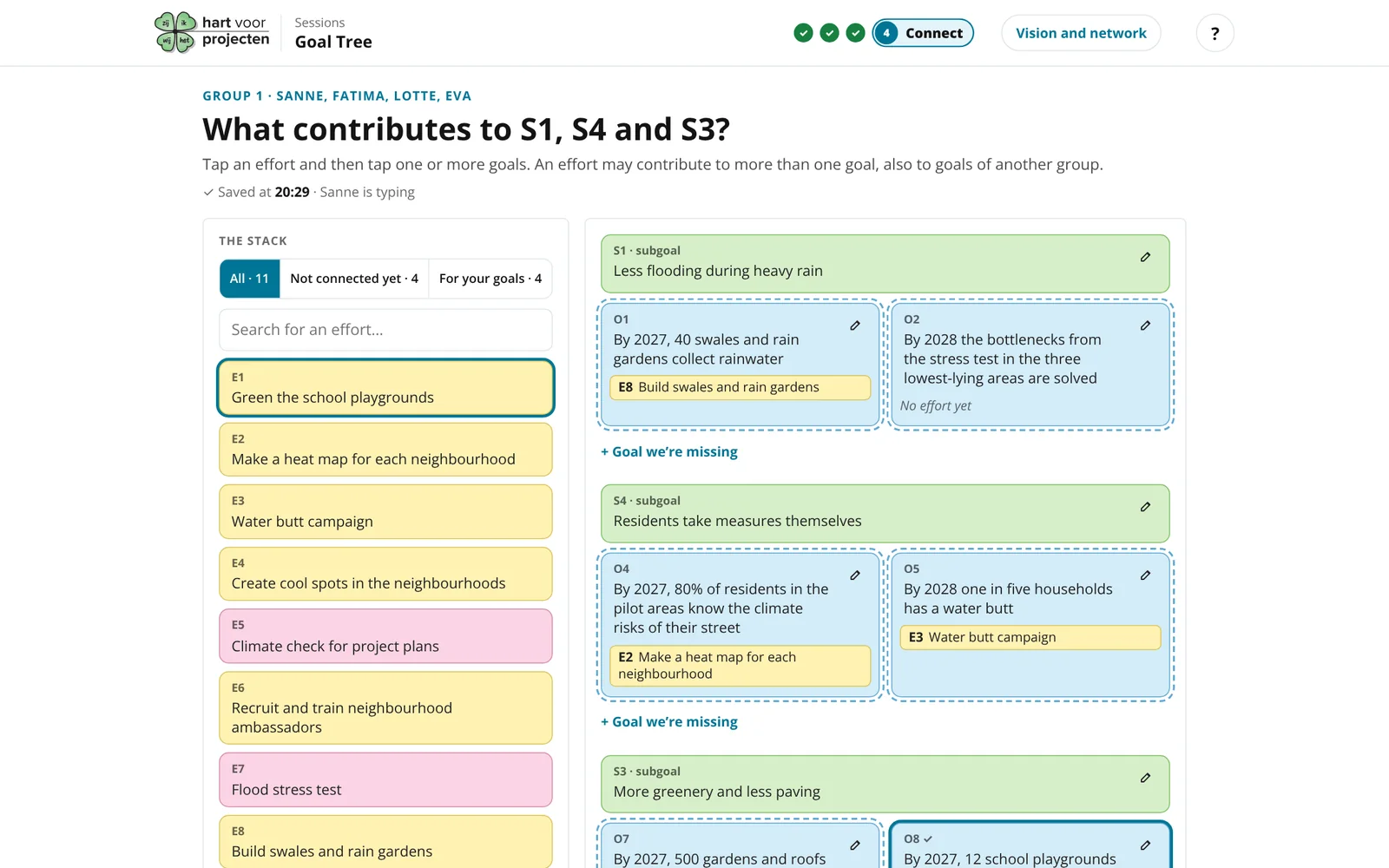
In groups per subgoal you connect each effort to the goals it contributes to, usually an operational goal. Only a few efforts? Then you connect them in plenary, one at a time. Afterwards you see the gaps: goals that nothing contributes to yet, and efforts that contribute to nothing.
The network
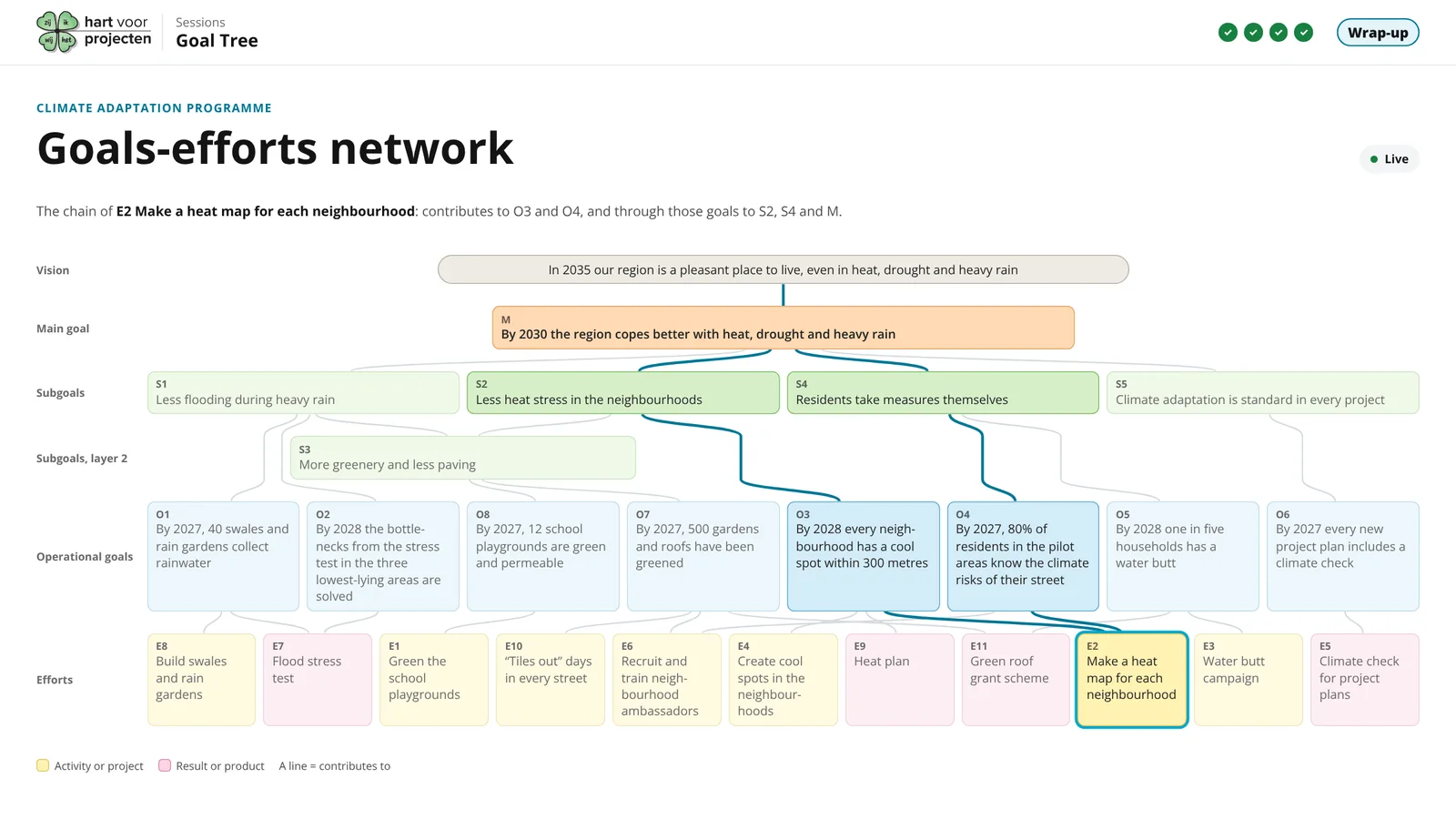
In the wrap-up the whole network is on the screen. Tap a card and its chain lights up: the higher goals it contributes to, and what contributes to it. You download the network as an Excel file, as a PDF, in Word and as an image.
What does a session cost?
One start code is good for one session with this format. You receive it by email within two working days. With the example in the format you practise first, without using up the code.
Good to know
- You don’t have to start from scratch. Is there already a goal tree from an earlier session? You build on that, even if the team updated it in Excel afterwards. That also works with a programme plan or a progress report; for those you use your organisation’s own AI tool.
- Do you have an image that goes with the vision? It appears on the screen, for the team, in the PDF and in Word.
- Want to be able to monitor the goals? Then you can record indicators for the goals: how can you tell it’s working? The Excel file lists them in an overview of their own.
- You choose which steps you do. Often it takes two meetings: first collect the efforts with project leaders and experts, then sharpen the goals and connect them with a smaller group. The second time you continue from the progress file you saved the first time.
- Also in English, for international teams.
The other formats
For programmes: Programme Course
For projects: Project Definition · Activity Plan · Risk Management · Project Scan


