
Project Definition
What will you deliver, for whom, and what is explicitly not included? For each part of the canvas the team gathers what matters. In small groups you work out a proposal, and you test it together. At the end the project definition is on the canvas, ready for the project contract.
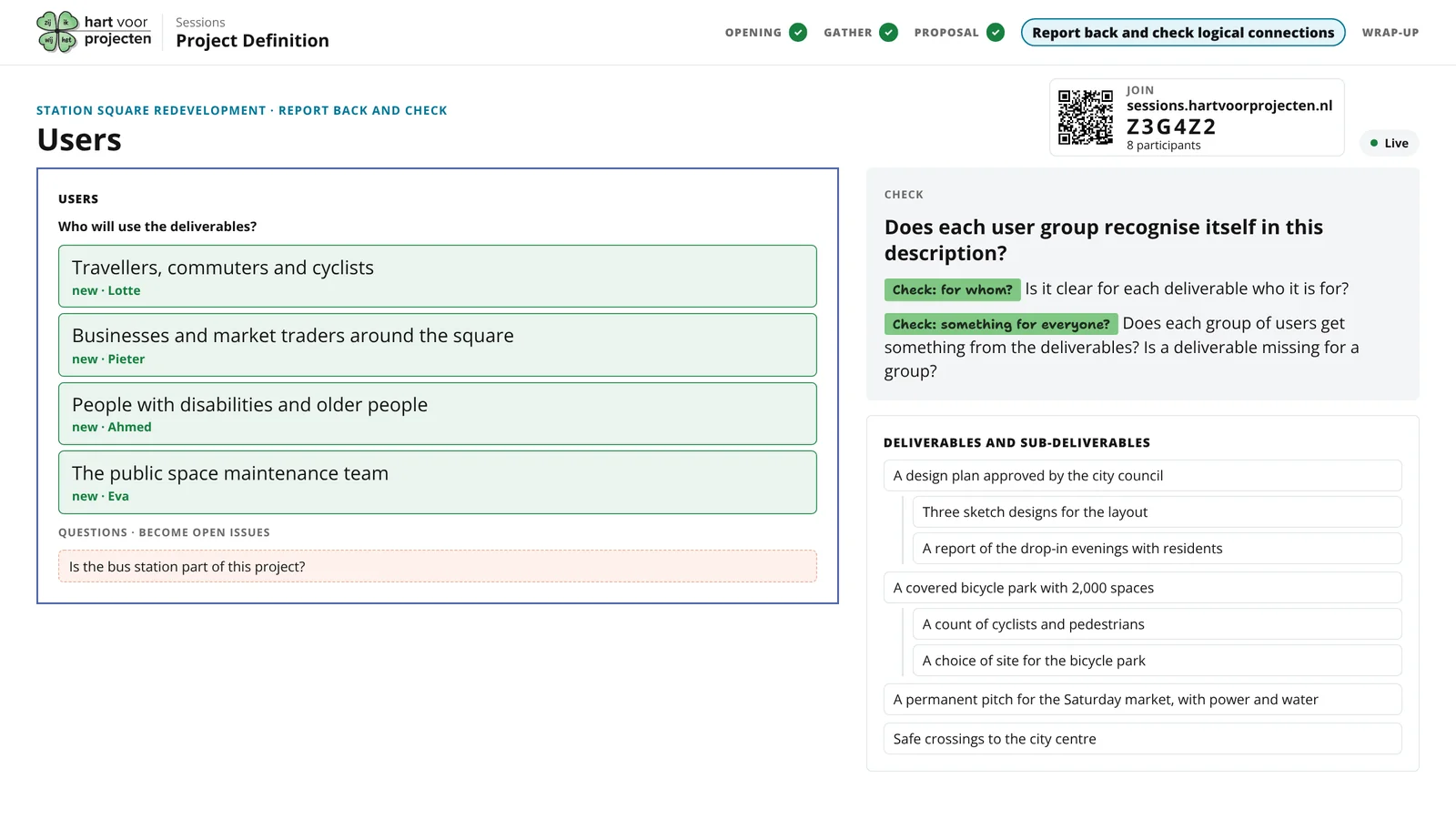
- Where in PDC
- Project Startup (definition phase); Project Fresh-up, to sharpen it for the next phase
- With whom
- The project team, with the sponsor or client as guest
- How long
- On average 2 hours
- Output
- Project definition (Word), canvas (PDF)
Why together?
Many problems start at the beginning of a project. If it is unclear what you will deliver, it is hard to make an activity plan. If you create the project definition together, you build a shared picture, ownership and a solid starting point. With Sessions everyone contributes, including those who rarely speak up in a full room.
How the session runs
Opening
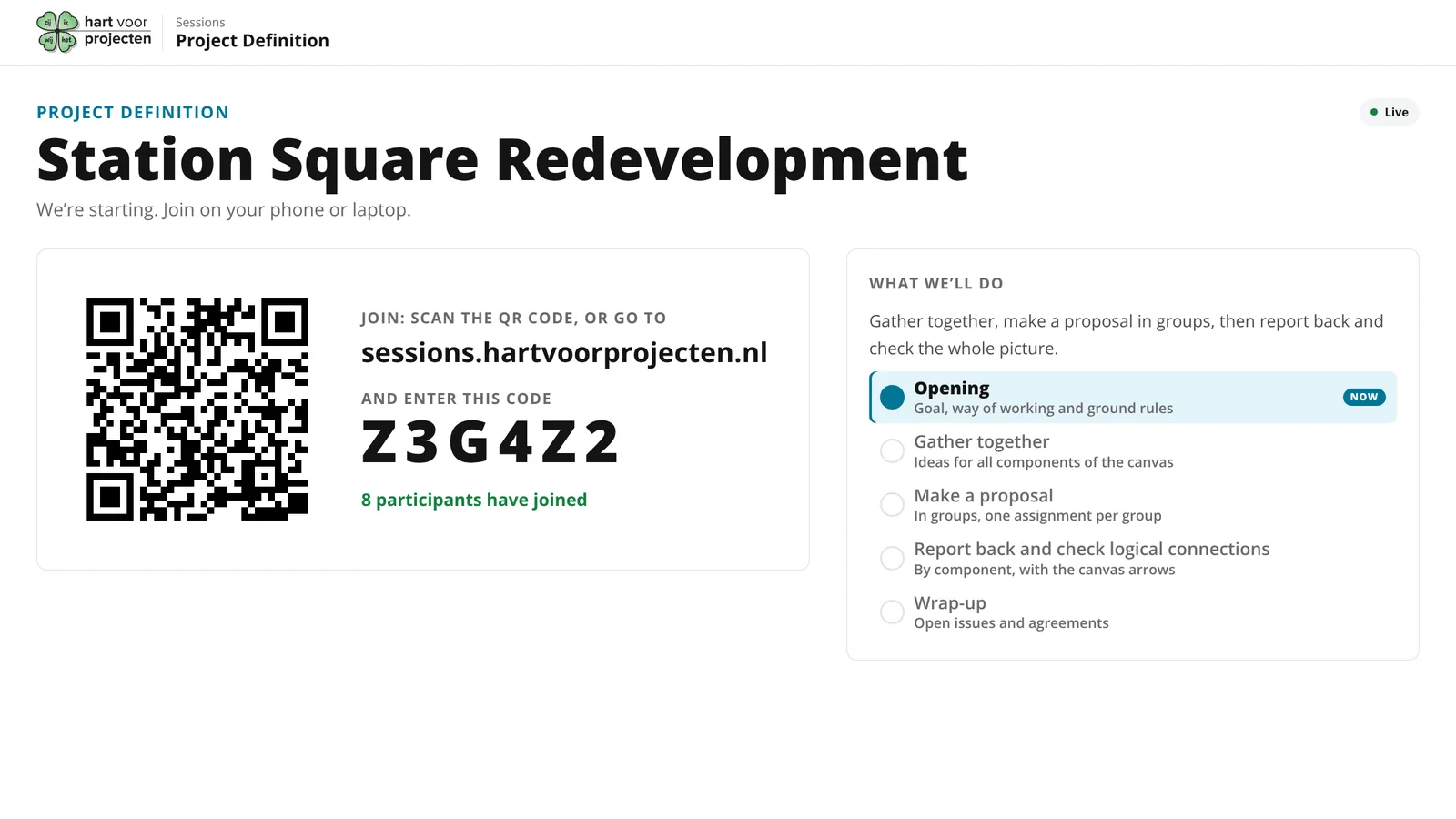
The screen shows the project, the steps of the session and the QR code. Team members join on their laptop with the address and the session code, or on their phone with the QR code.
Gathering together
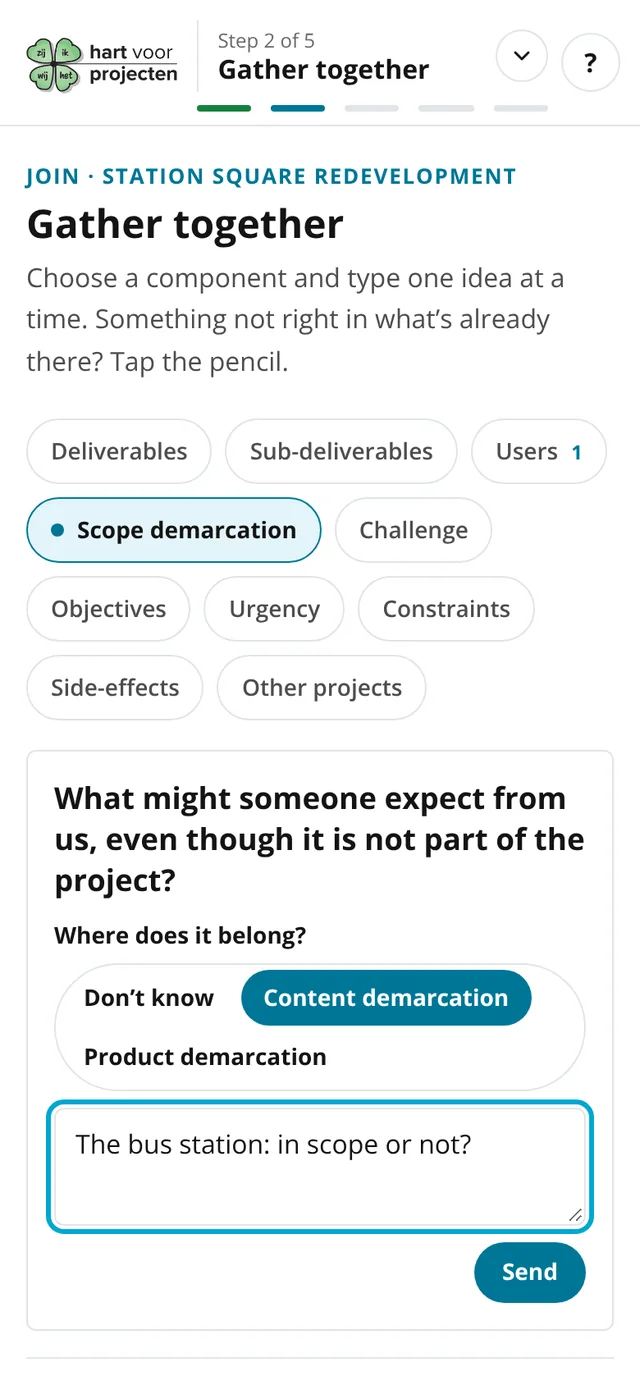
For each part of the canvas, team members send in what they think belongs there: deliverables, scope demarcation, constraints, users. Everyone writes on their own first; the facilitator opens and closes input.
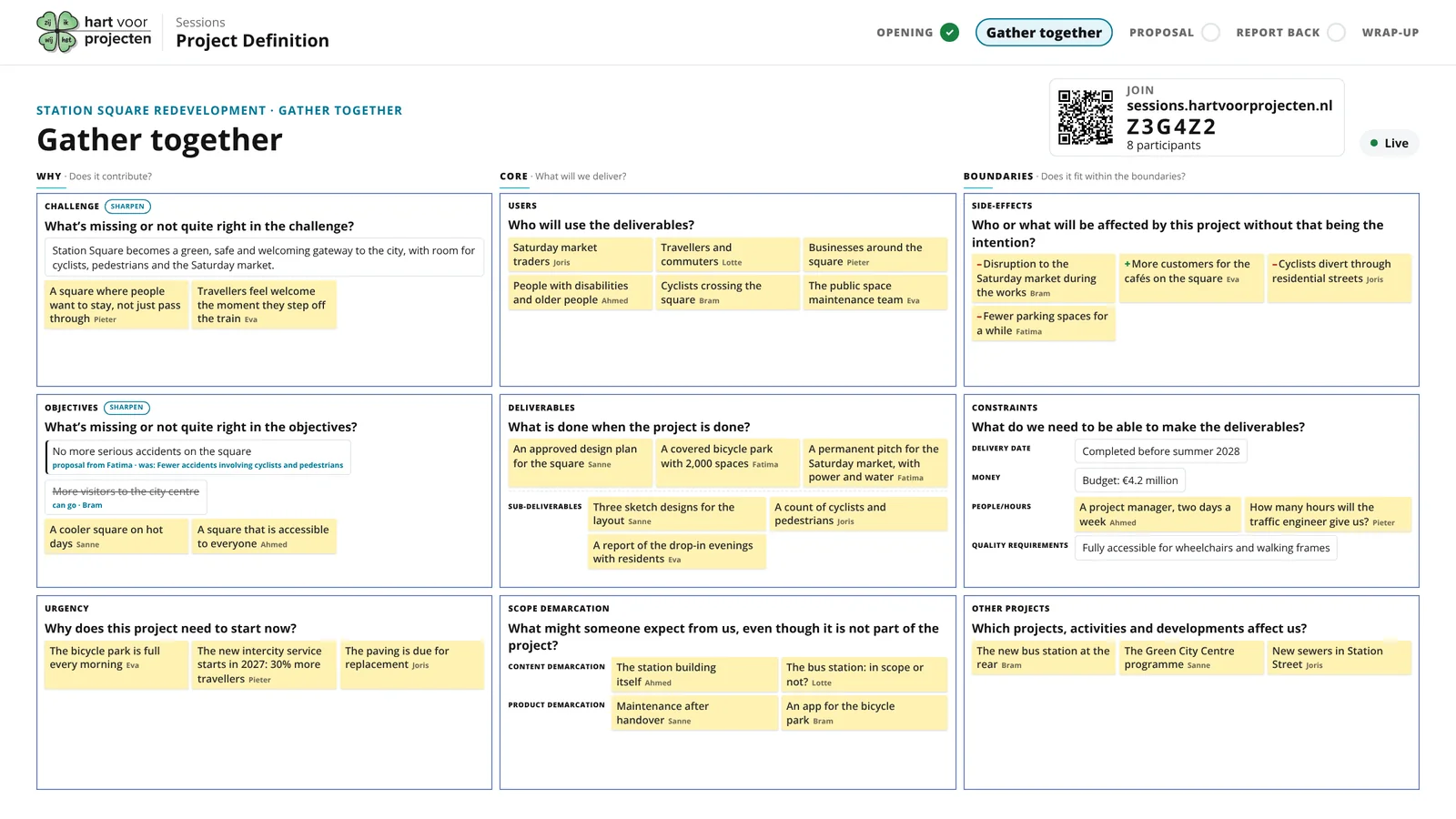
Everything on the canvas
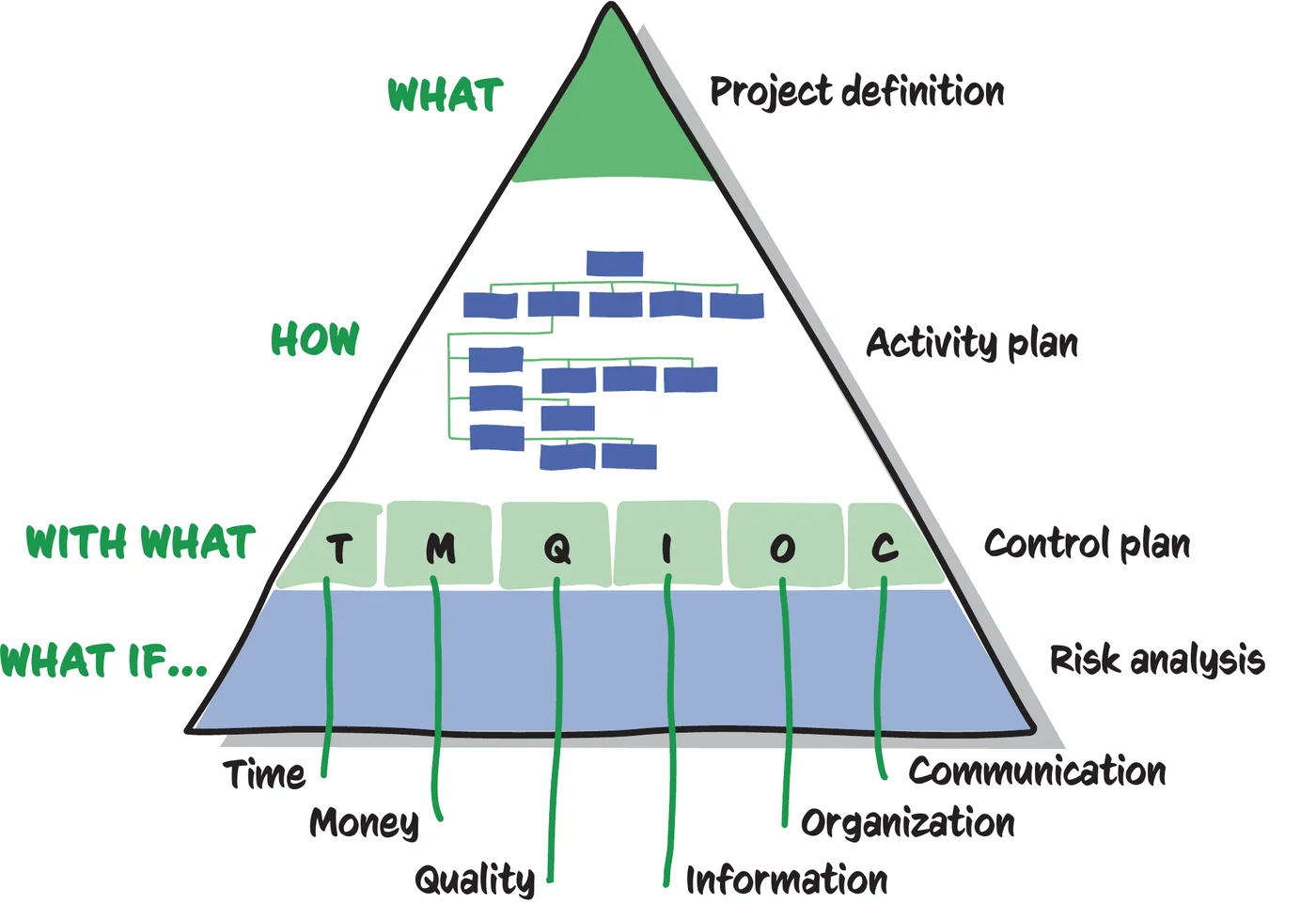
As soon as the facilitator shows the ideas, everything is on the canvas on the presentation screen. Everyone can see where the team agrees, and where questions remain.
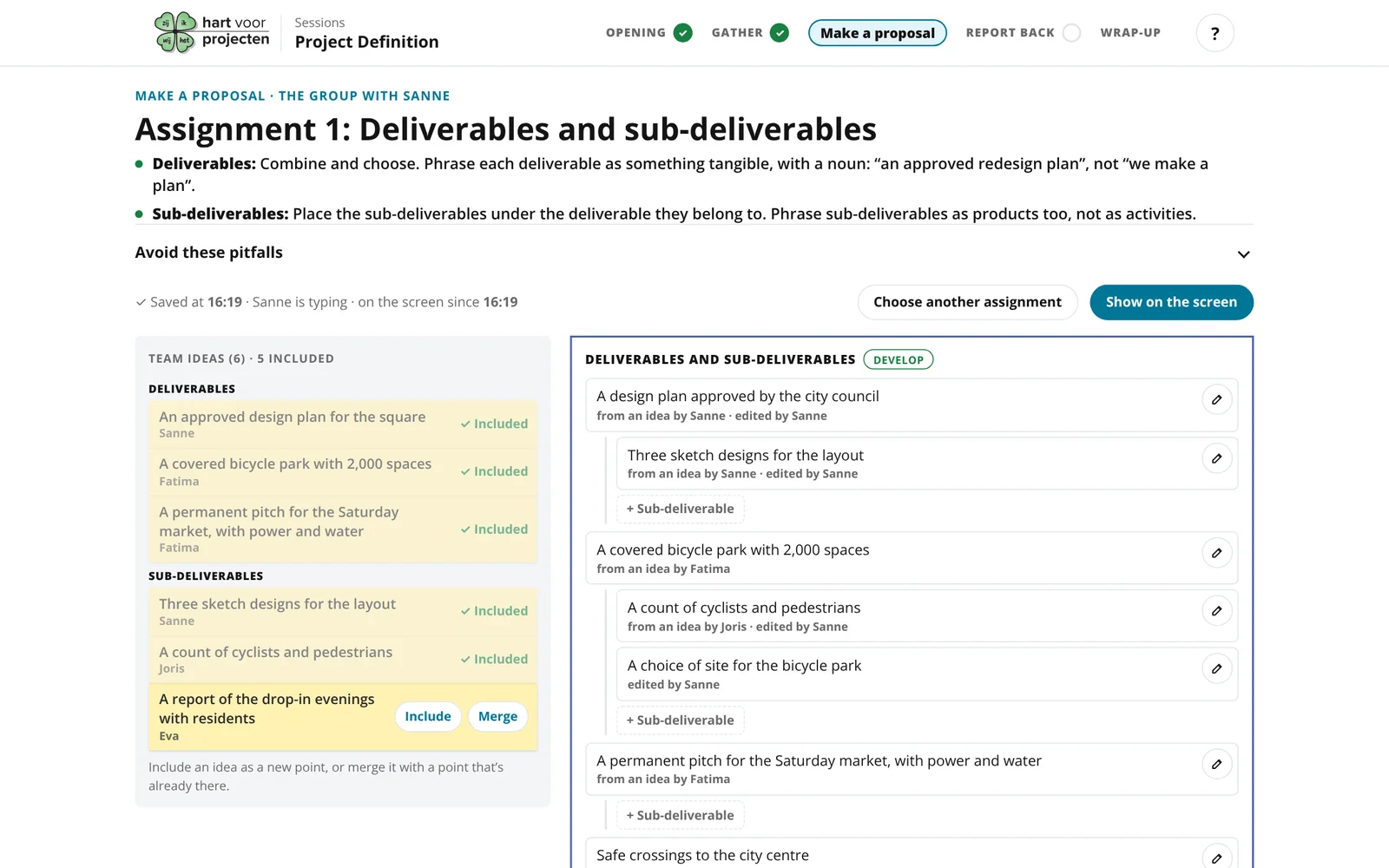
Proposals in small groups
The facilitator divides the parts into assignments, and each group chooses one. Each group works out a proposal on one laptop or phone, with the team’s ideas alongside.
Report back and test
Topic by topic, the groups report back. The facilitator adopts the proposal, the team adds to it, and you test it with the check questions of the canvas.
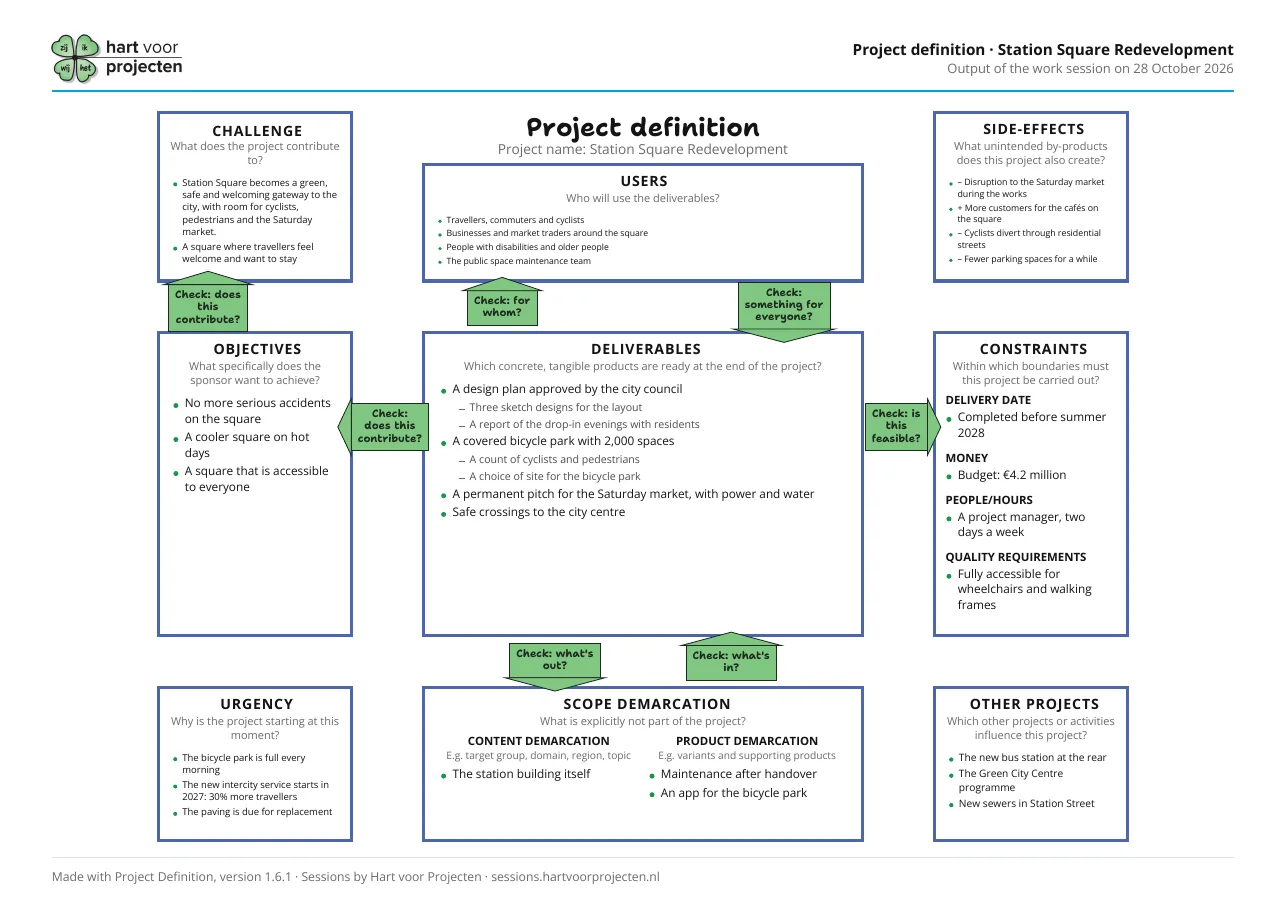
The result
You download the project definition in Word and the completed canvas as a PDF. You can include them in the project contract straight away.
What does a session cost?
One start code is good for one session with this format. You receive it by email within two working days. With the example in the format you practise first, without using up the code.
Good to know
- You don’t have to start with an empty canvas. Is there already an assignment or project brief? With your organisation’s own AI tool the canvas then gets a first draft, with the source and any doubt for each point.
- Team members can easily make a proposal on a point from the start document. That way the team makes the sponsor’s assignment its own.
- Your organisation’s logo appears on the screen and in the output.
- Not finished in one go? You save your progress and continue later, for example on the second day of a Project Startup.
- You take the project definition with you to Activity Plan: the deliverables and the scope demarcation are ready there straight away.
- Also in English, for international teams.
The other formats
For projects
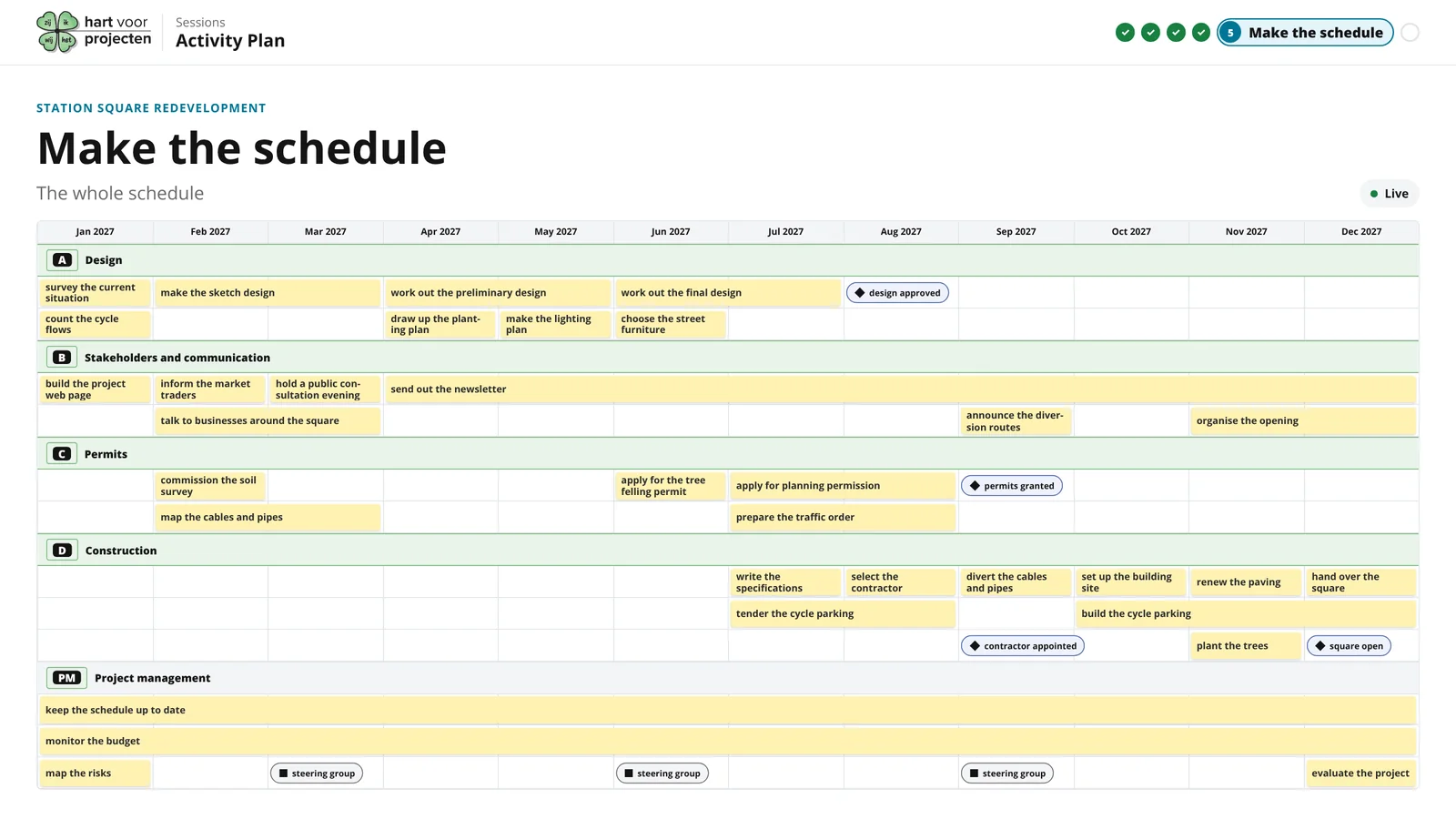 PDC · the HOWActivity PlanTogether you think up the activities, cluster them, divide the tasks and build the schedule.More about this format →
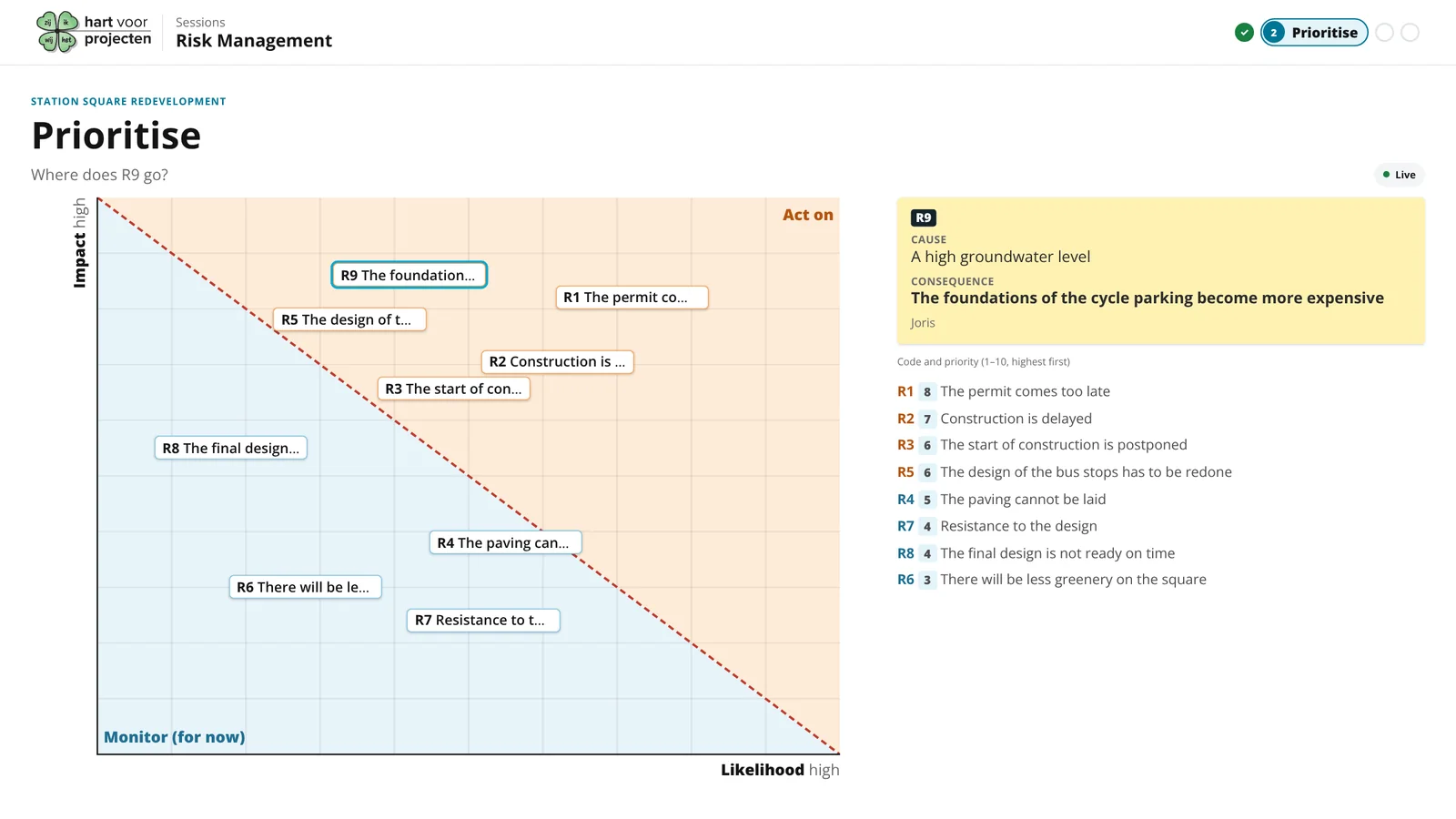 PDC · the risksRisk ManagementTogether you map out the risks, choose which ones to act on and put the measures straight into the activity plan.More about this format →
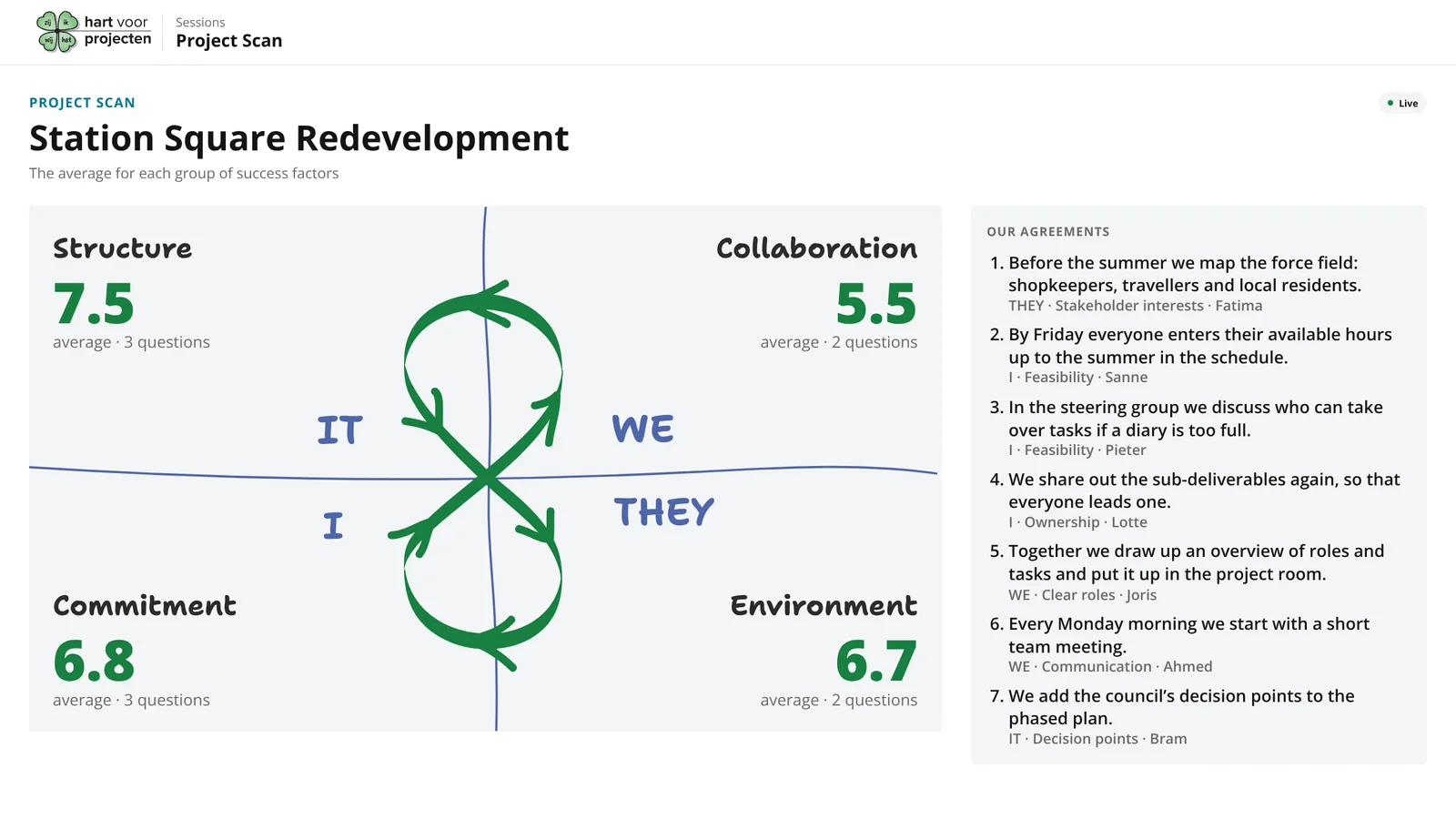 PDC · any timeFree with every start codeProject ScanHow is the project doing? Everyone scores the success factors, and the screen shows the team’s picture.More about this format →
For programmes: Goal Tree · Programme Course


