
Project Scan
How is the project doing? Every team member scores each success factor on their own laptop or phone, anonymously or by name. The presentation screen shows the team’s picture. Where are the differences, and what will you do?
- Where in PDC
- Any moment: Project Startup, Project Fresh-up, evaluation
- With whom
- The team, optionally with the sponsor or client
- How long
- One to two hours
- Output
- Report (PDF and Word)
Why a scan?
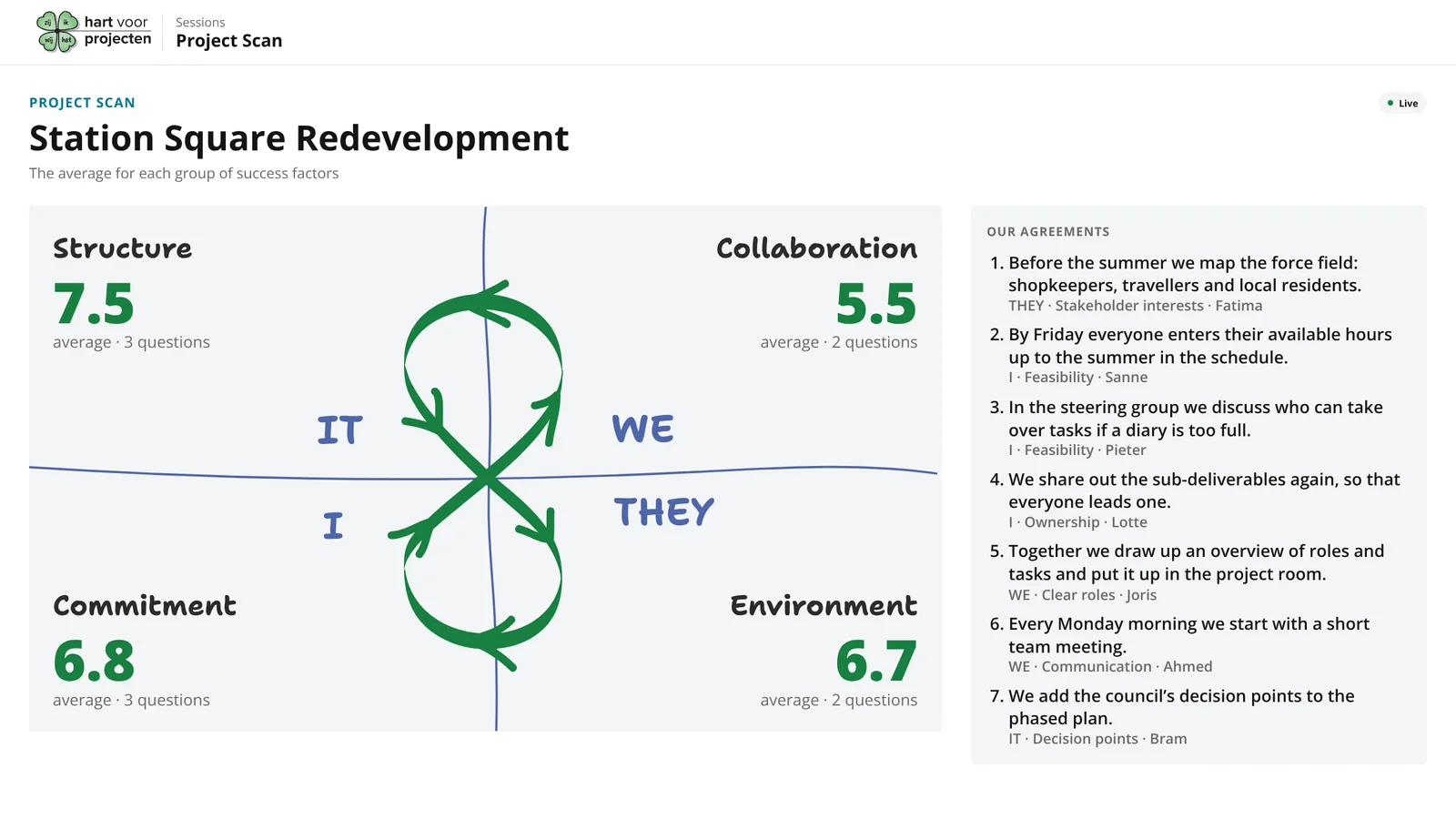
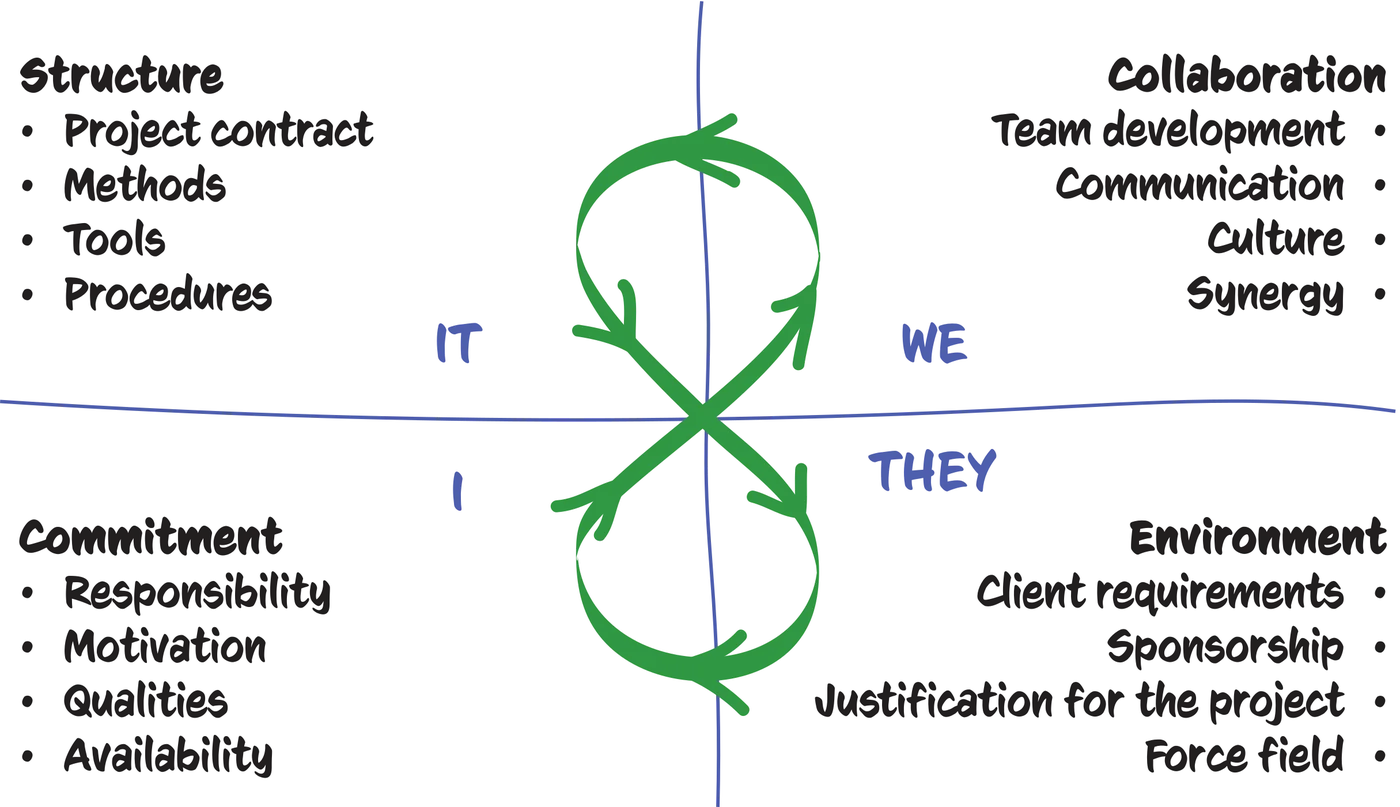
A successful project needs four groups of success factors: THEY (the environment), I (commitment), WE (collaboration) and IT (structure). Many project teams mainly watch the plan and then get stuck on buy-in or ownership. With the Project Scan you show where the team stands, and above all where views differ. That is where the right conversation starts.
How the session runs
Choose the success factors
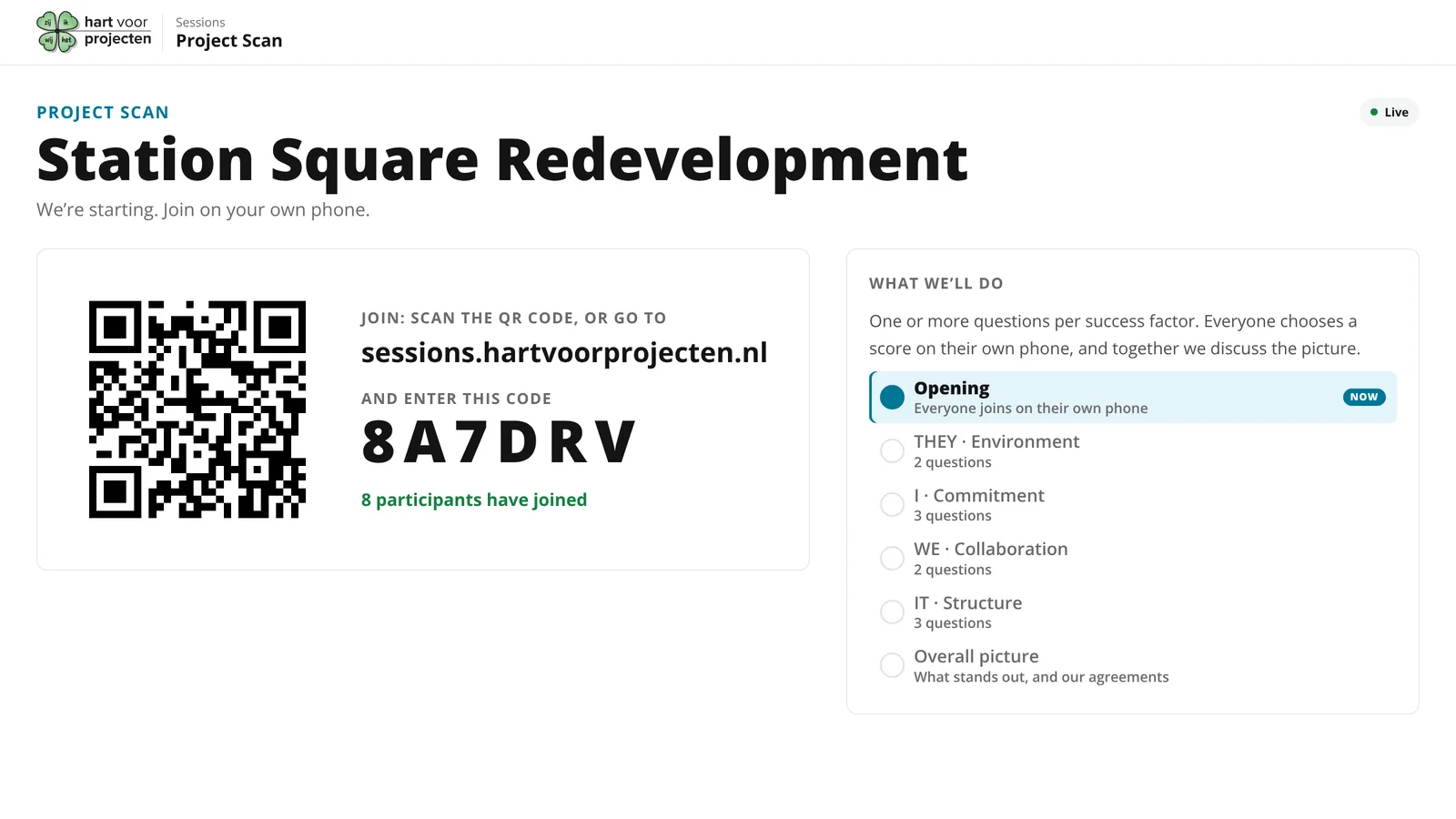
The facilitator chooses which success factors to cover, and whether the team scores anonymously or by name. The screen shows the QR code and the steps.
Everyone scores
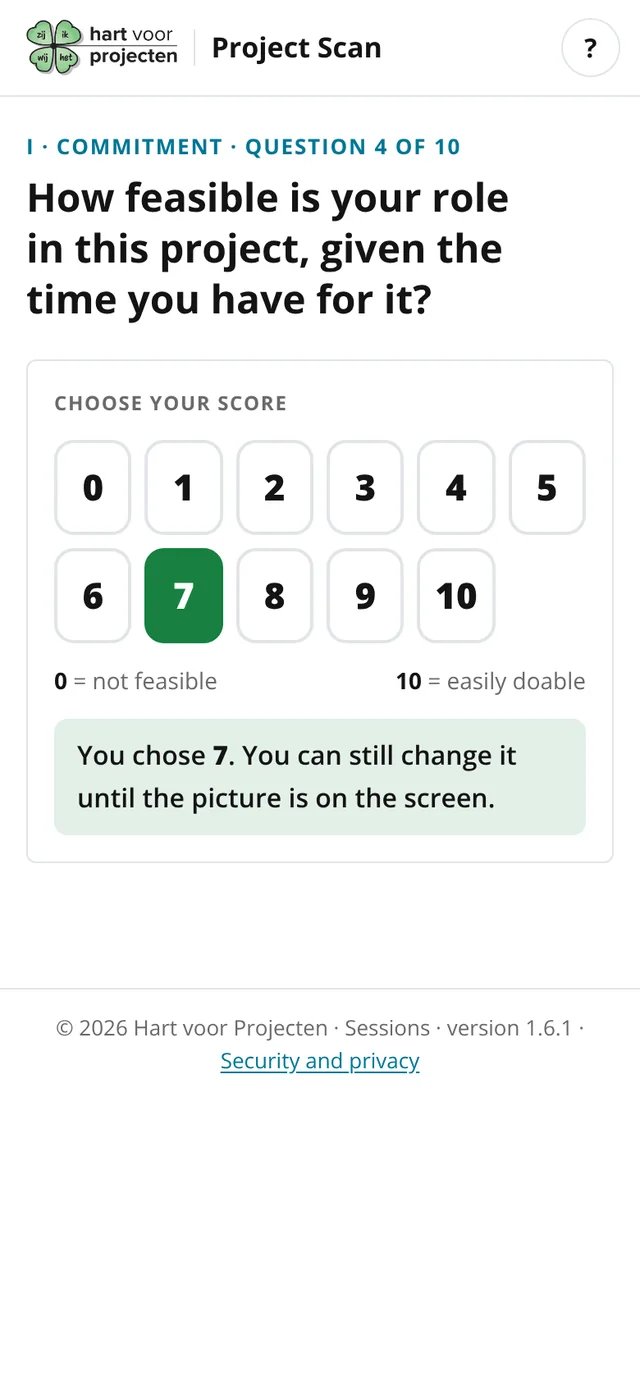
For each question every team member chooses a score on their own laptop or phone. The screen shows the empty scale and how many people have already chosen.
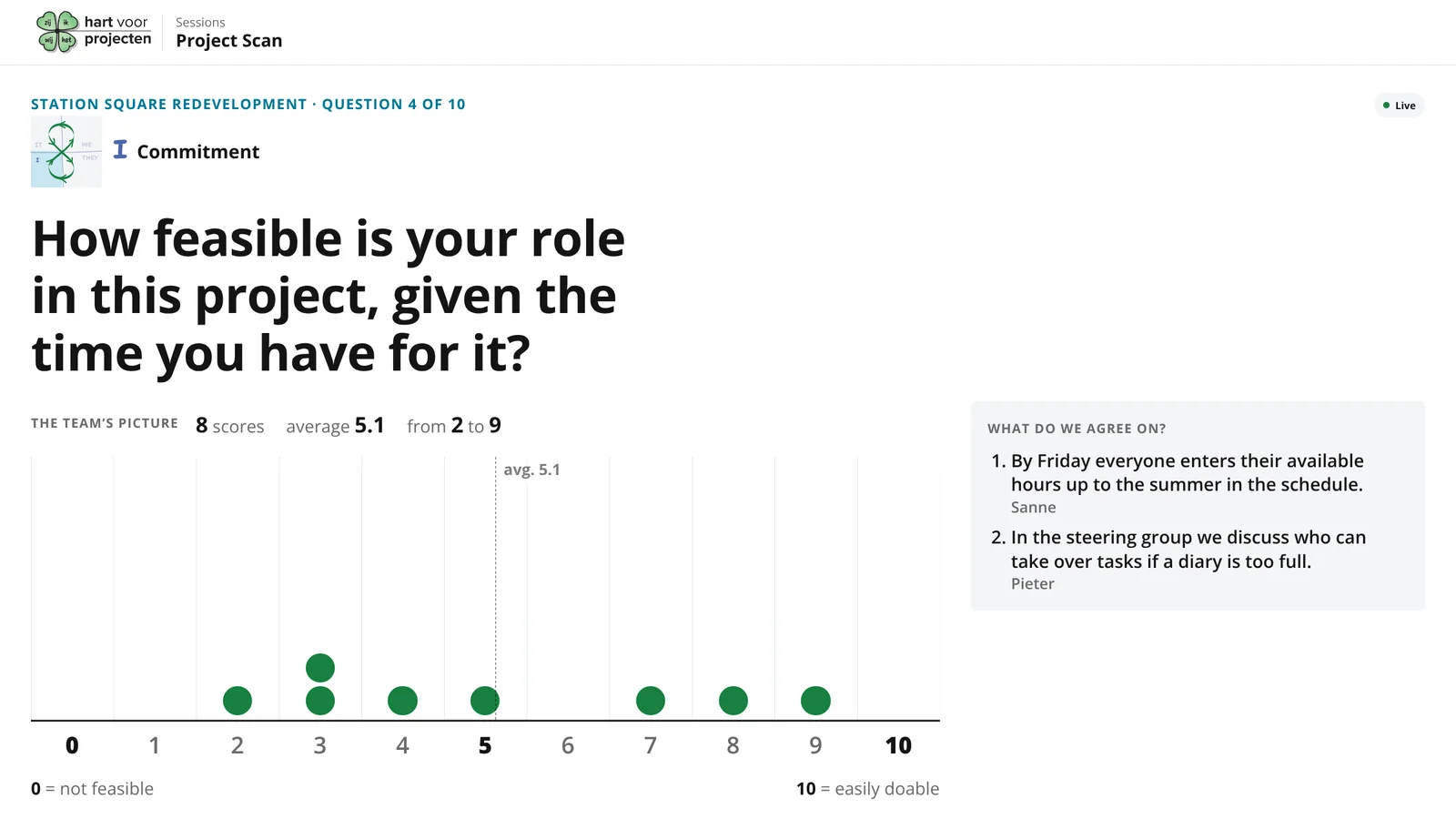
The picture
When everyone has chosen, the dots drop onto the scale. You see at a glance whether the team agrees or not. With the outcome, the facilitator gets follow-up questions to discuss in the team, and you record agreements straight away. After the last question the team’s picture appears in the overall picture (top of this page).
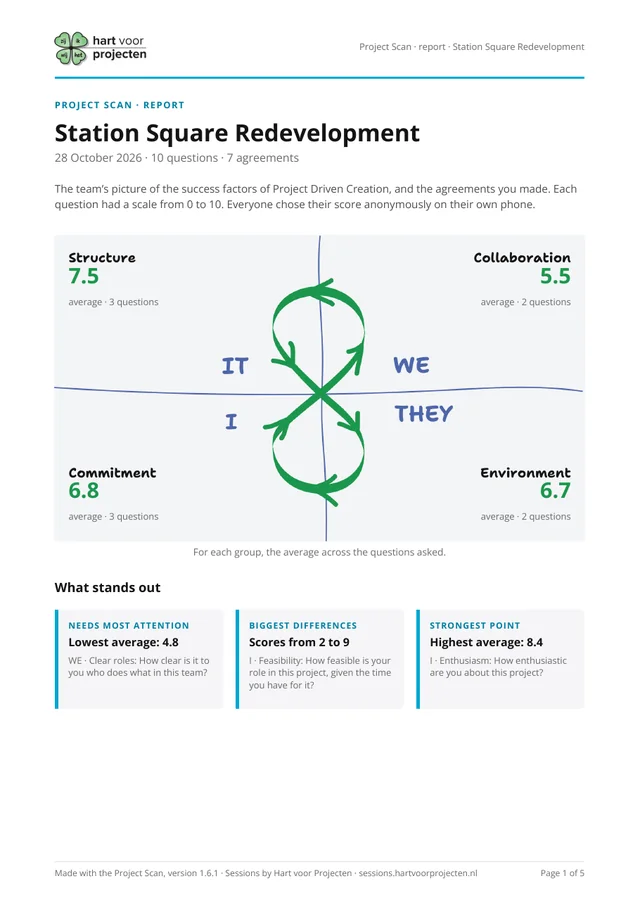
The report
You download a report with the picture per question, the overall picture, what stands out and your agreements, as a PDF and in Word.
What does the Project Scan cost?
The Project Scan is free with every start code, as often as you like until the end date. You get a start code with a single session or a session bundle.
Free with every start code
Good to know
- Free with every start code: you run the Project Scan as often as you like, until the code’s end date.
- The team gives its scores anonymously or by name. With names you see who gave which score, so you can discuss the differences straight away.
- The questions follow the four groups of success factors, in English too.
- With each picture you, as the facilitator, get questions that fit it, for example when the team splits into two groups. You record agreements straight away, with who picks them up; the team sees them on the screen.
- Repeat the scan at a Project Fresh-up and put the reports side by side.
The other formats
For projects
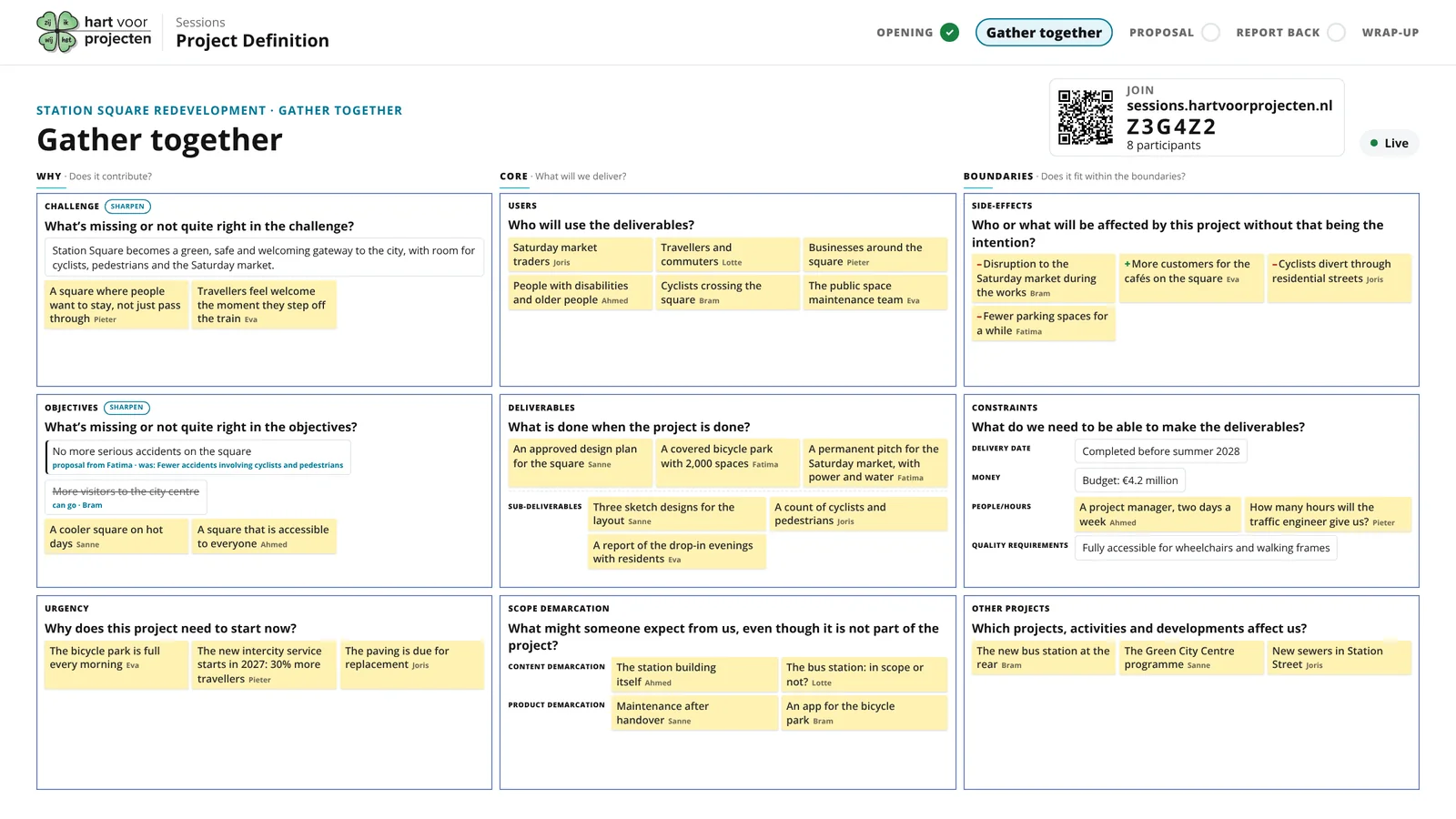 PDC · the WHATProject DefinitionTogether you agree what the project will deliver, for whom, and what is explicitly not included.More about this format →
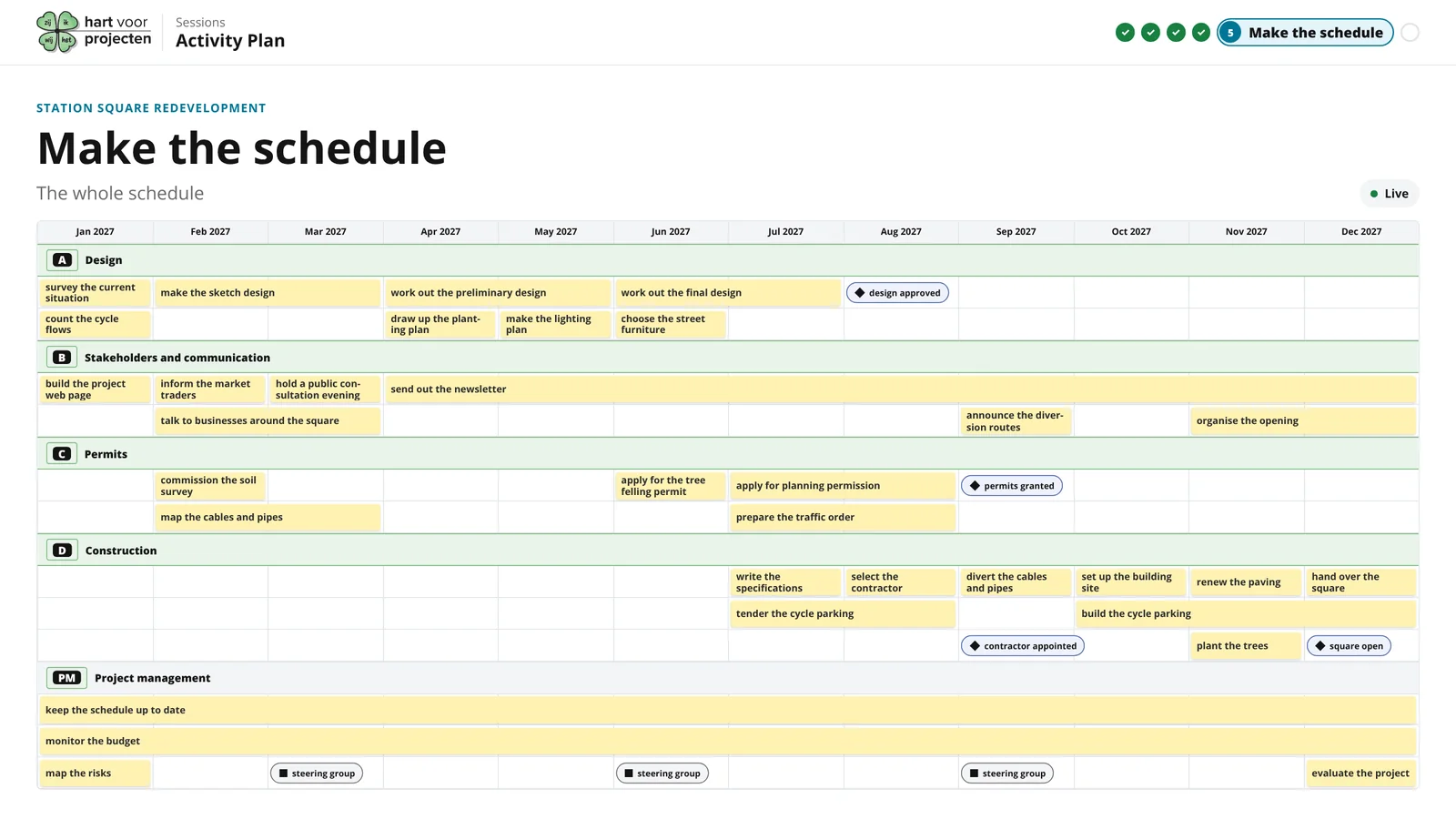 PDC · the HOWActivity PlanTogether you think up the activities, cluster them, divide the tasks and build the schedule.More about this format →
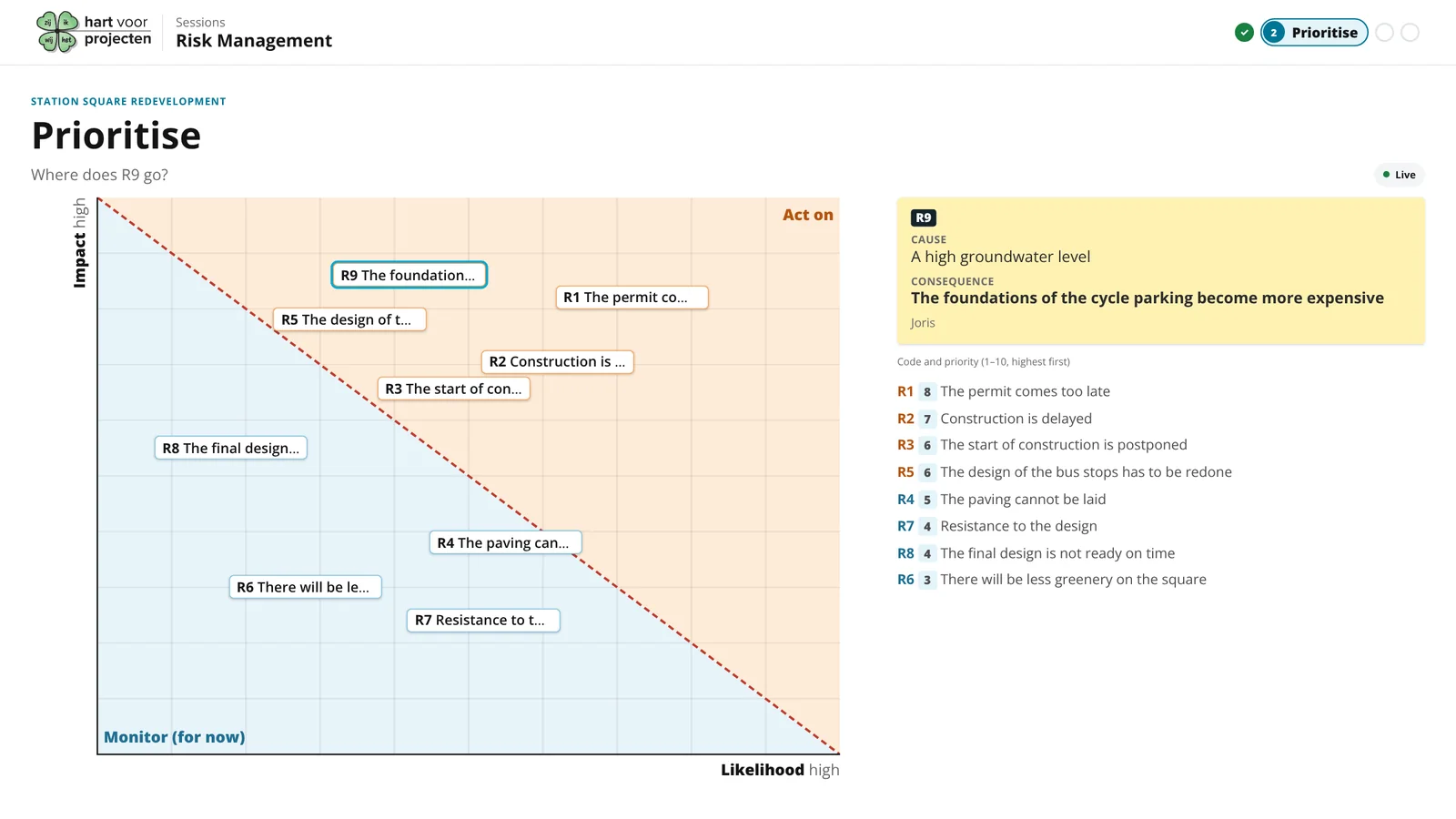 PDC · the risksRisk ManagementTogether you map out the risks, choose which ones to act on and put the measures straight into the activity plan.More about this format →
For programmes: Goal Tree · Programme Course


