
Programme Course
As a programme manager you manage by goals, not by project results. That is why at every phase transition you look back together, zoom out and make the plan for the next phase: the island of reflection. Programme Course is the format for that, with the programme team, the project leaders and whoever else belongs there.
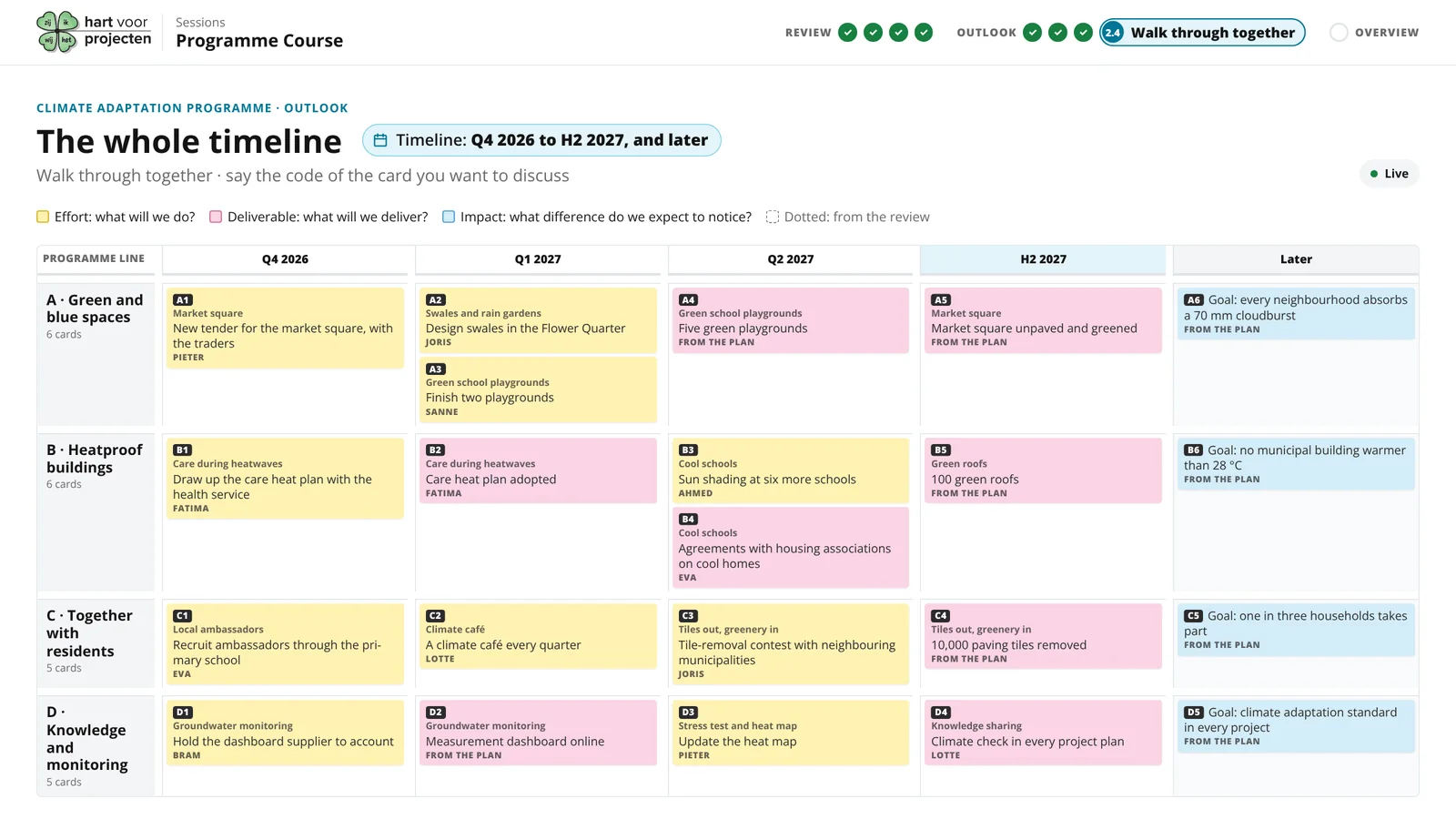
- Where in Programme Driven Creation
- At every phase transition, or about twice a year
- With whom
- The programme team and the project leaders
- How long
- Half a day; for extensive programmes up to a day
- Output
- Review, timeline, actions and agreements (PDF and Excel)
Understanding instead of control
Precisely because as a programme manager you manage by goals rather than project results, you regularly reflect together on the programme’s progress. A completed activity does not guarantee that you achieve the goal. On the island of reflection the team therefore looks not only at the progress of projects, but above all at the contribution to the goals: what worked, what did not (yet), and is the next phase still right? That takes time and good information. With Programme Course you give that time a fixed shape.
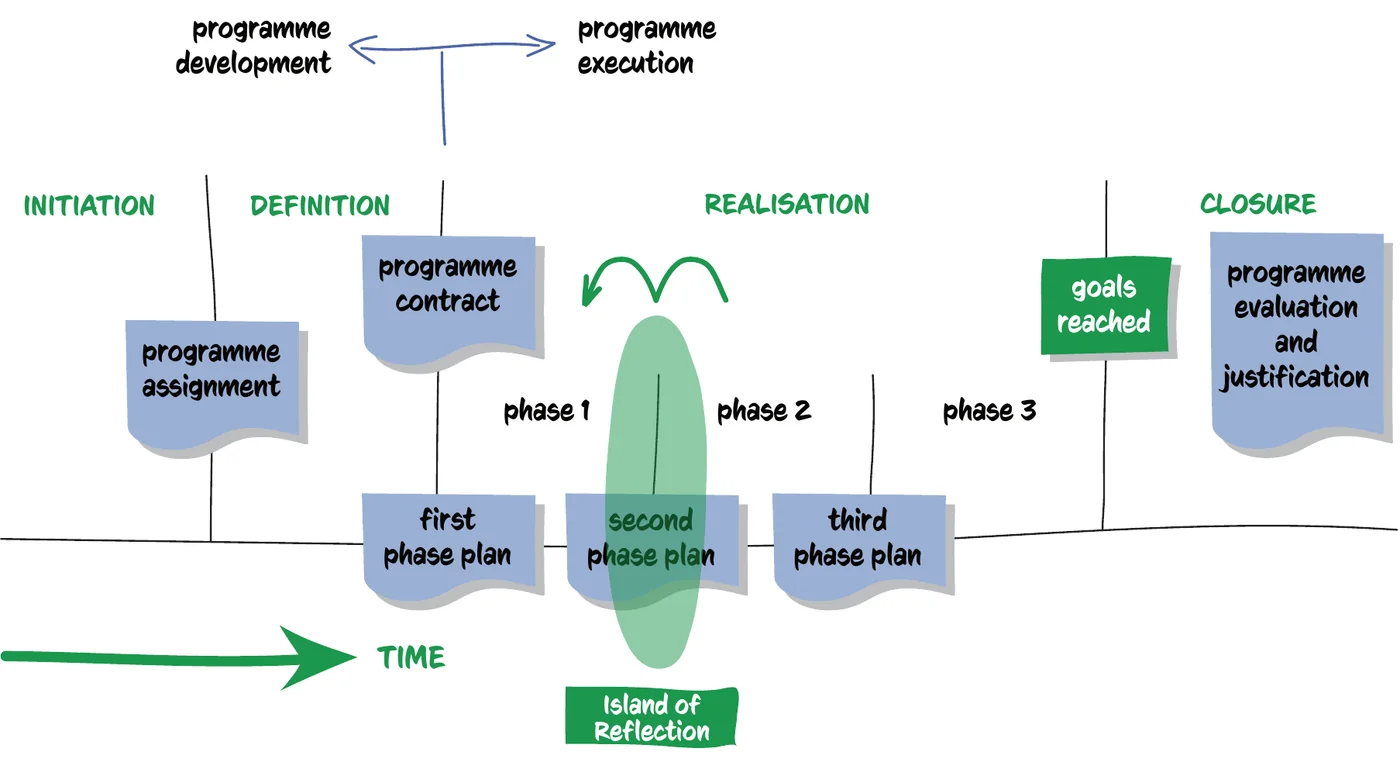
How the session runs
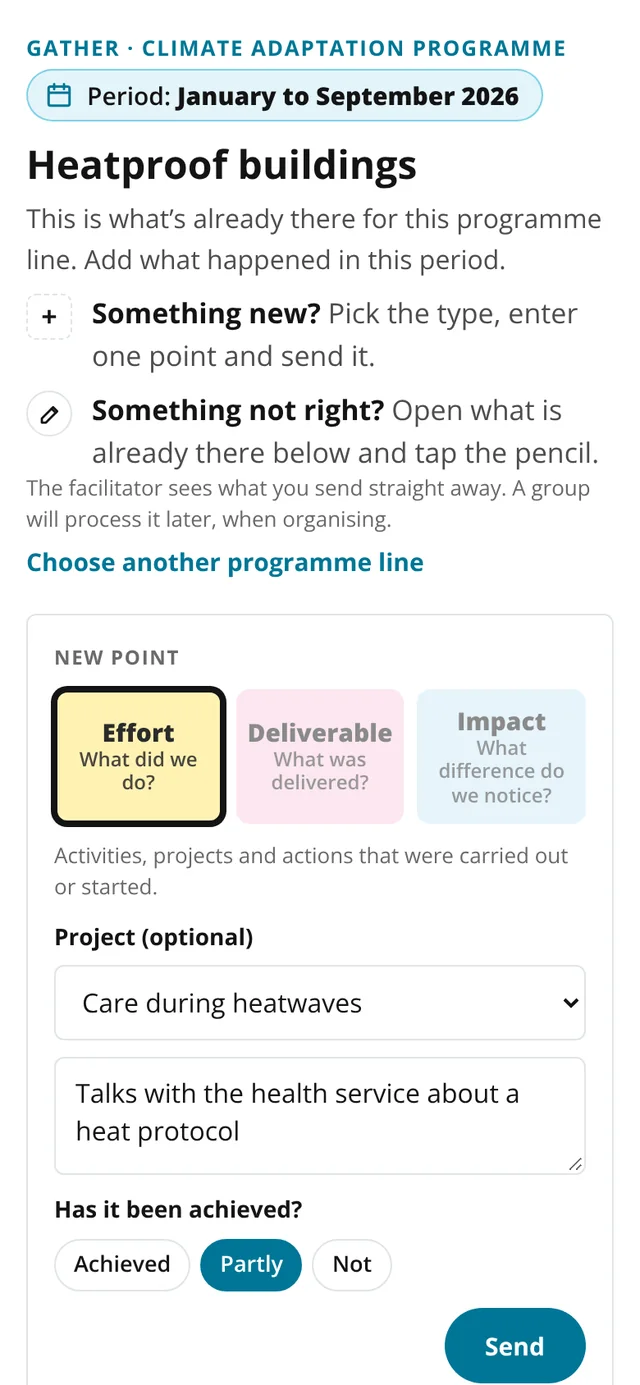
Review: what have we done?
For each programme line, participants send in what they did (efforts), what it delivered (deliverables) and what difference they notice (impact), with a status: achieved, partly or not. Everyone writes on their own first.
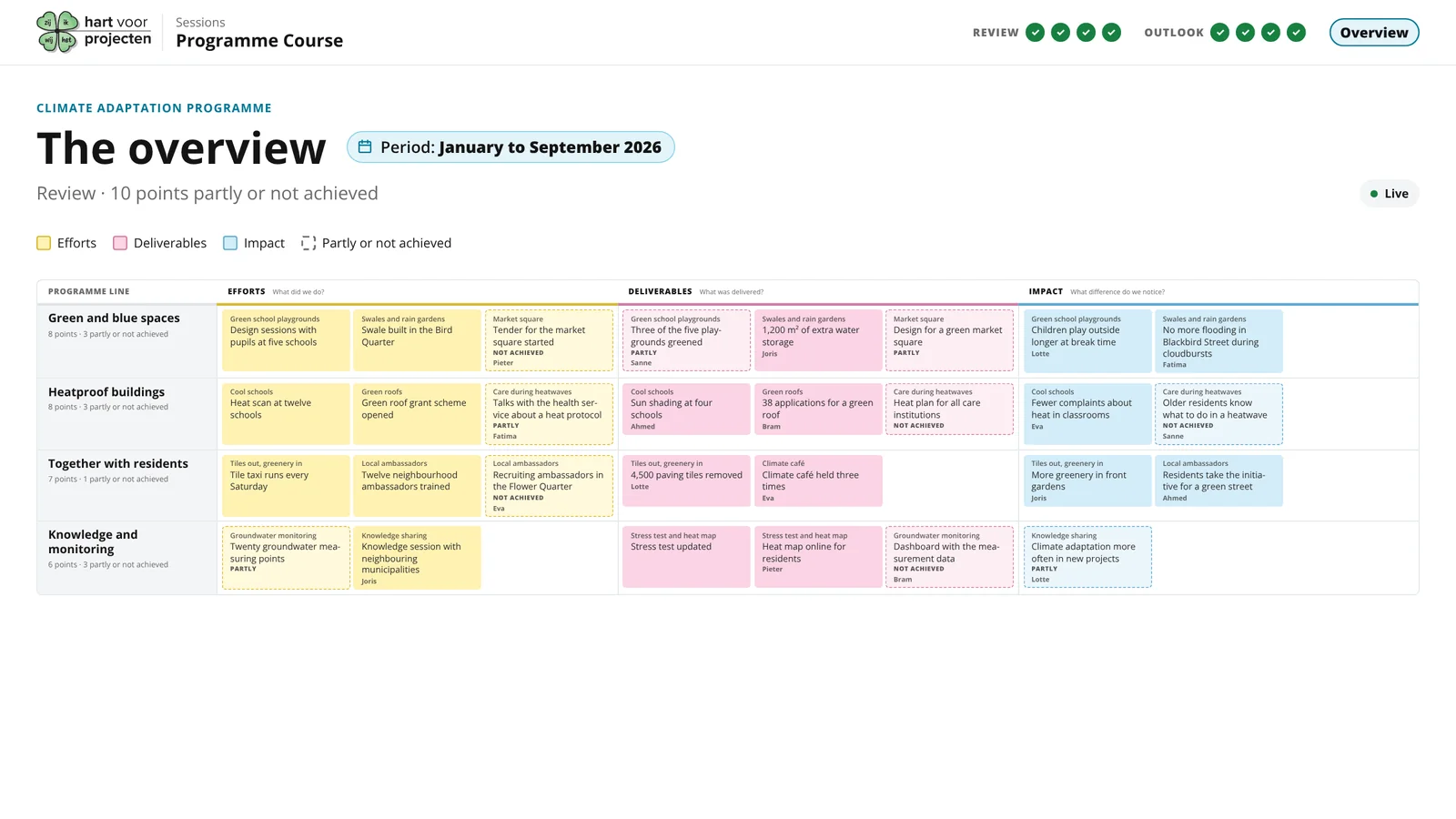
The picture together
The screen lines everything up per programme line. In small groups you order it per line; then you discuss it together, focused on the contribution to the goals. You record the actions and agreements that follow from it straight away.
Outlook: the course
First everyone puts cards on the timeline; whatever was not (fully) achieved in the review, you add with one click. Then small groups turn them into one timeline per programme line: what will we do, what will we deliver, and what do we expect to notice? Together you walk through the whole timeline: where is it too full, where too empty?
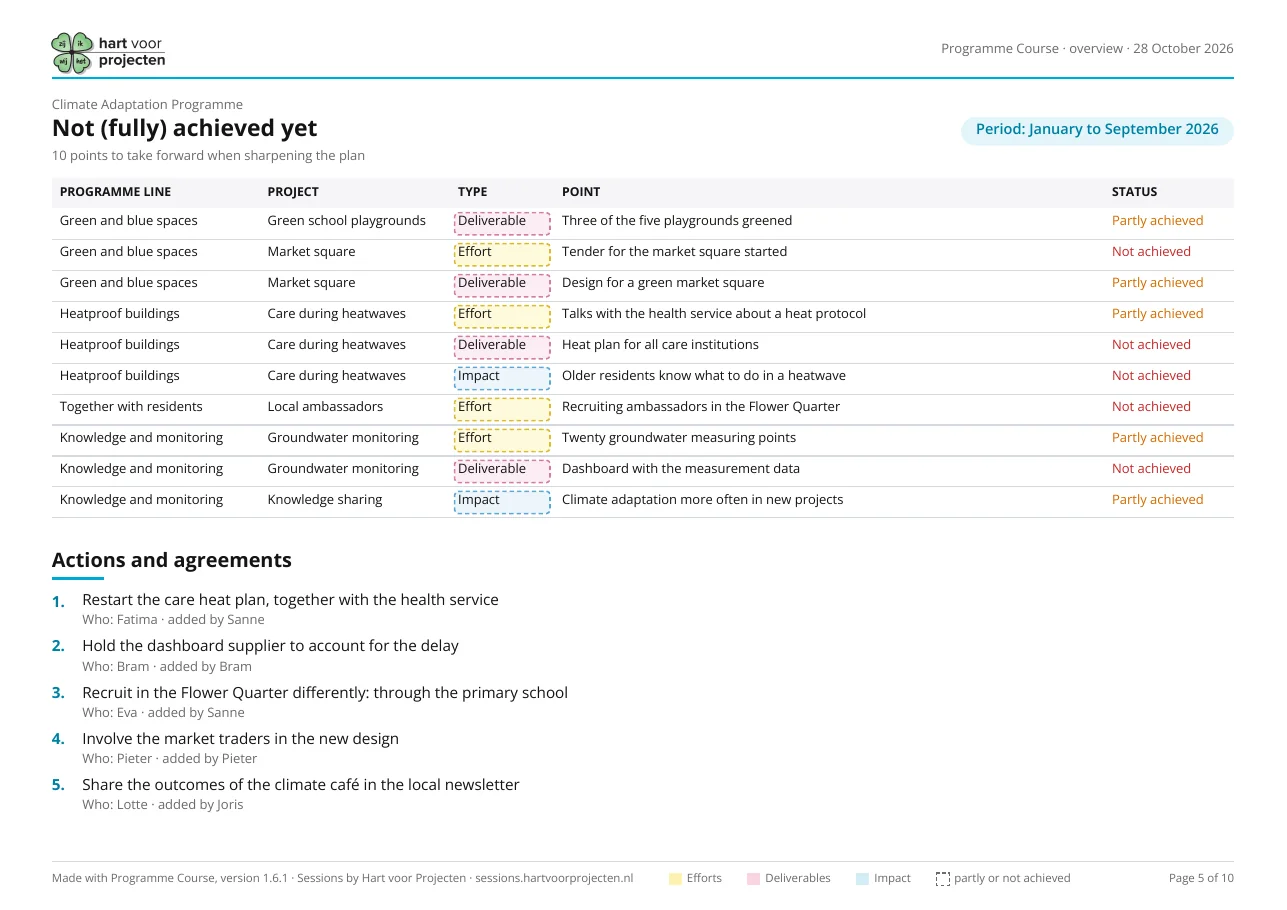
The result: the review
The review per programme line, what has not (yet) been achieved, and the actions and agreements with who picks them up. As PDF and Excel.
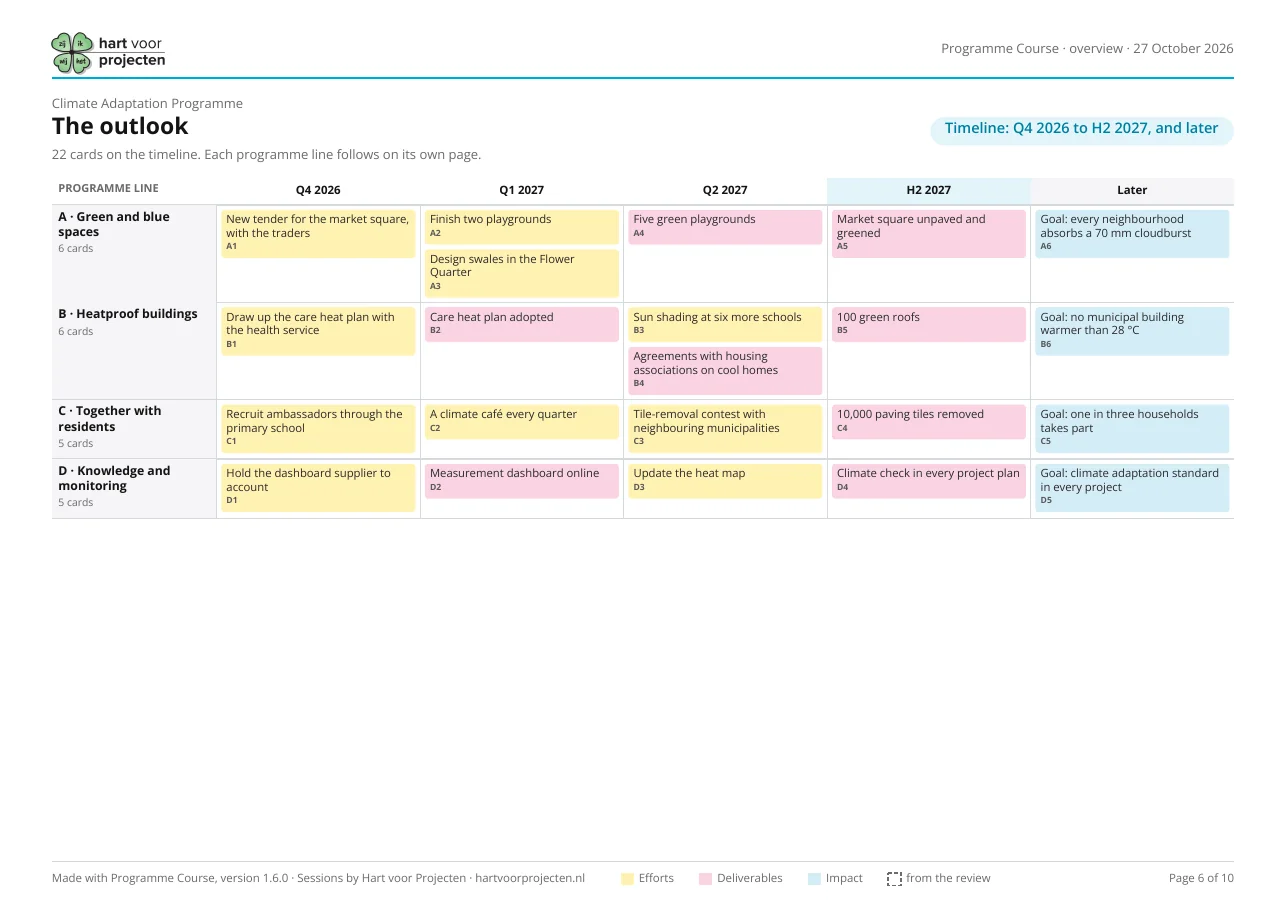
The result: the outlook
The timeline for the coming period: per programme line the efforts, the deliverables and the impact you expect. That is the basis for the next phase plan, and the team has a shared overview of the whole programme again.
What does a session cost?
One start code is good for one session with this format. You receive it by email within two working days. With the example in the format you practise first, without using up the code.
Good to know
- You prepare the session: the programme lines and their projects are ready when the team starts. You can also do that from the programme plan and the progress report, with your organisation’s own AI tool.
- You choose the timeline that fits your programme: by week, 2 weeks, month, quarter, half year or year. During the outlook you can still split a period.
- Not finished in one go? You save your progress and continue later, for example after the break or on a second day.
- You download the actions and agreements as an Excel file, for your own task list.
- Also in English, for international teams.
The other formats
For programmes: Goal Tree
For projects: Project Definition · Activity Plan · Risk Management · Project Scan


