
Risk Management
What can go wrong, and what could cause it? With the whole team you go through the activity plan looking for obstacles ahead. Everyone first writes down the risks on their own; then you decide together which risks to act on. For those, you come up with measures in small groups, with who and when, and you put them straight into the activity plan.
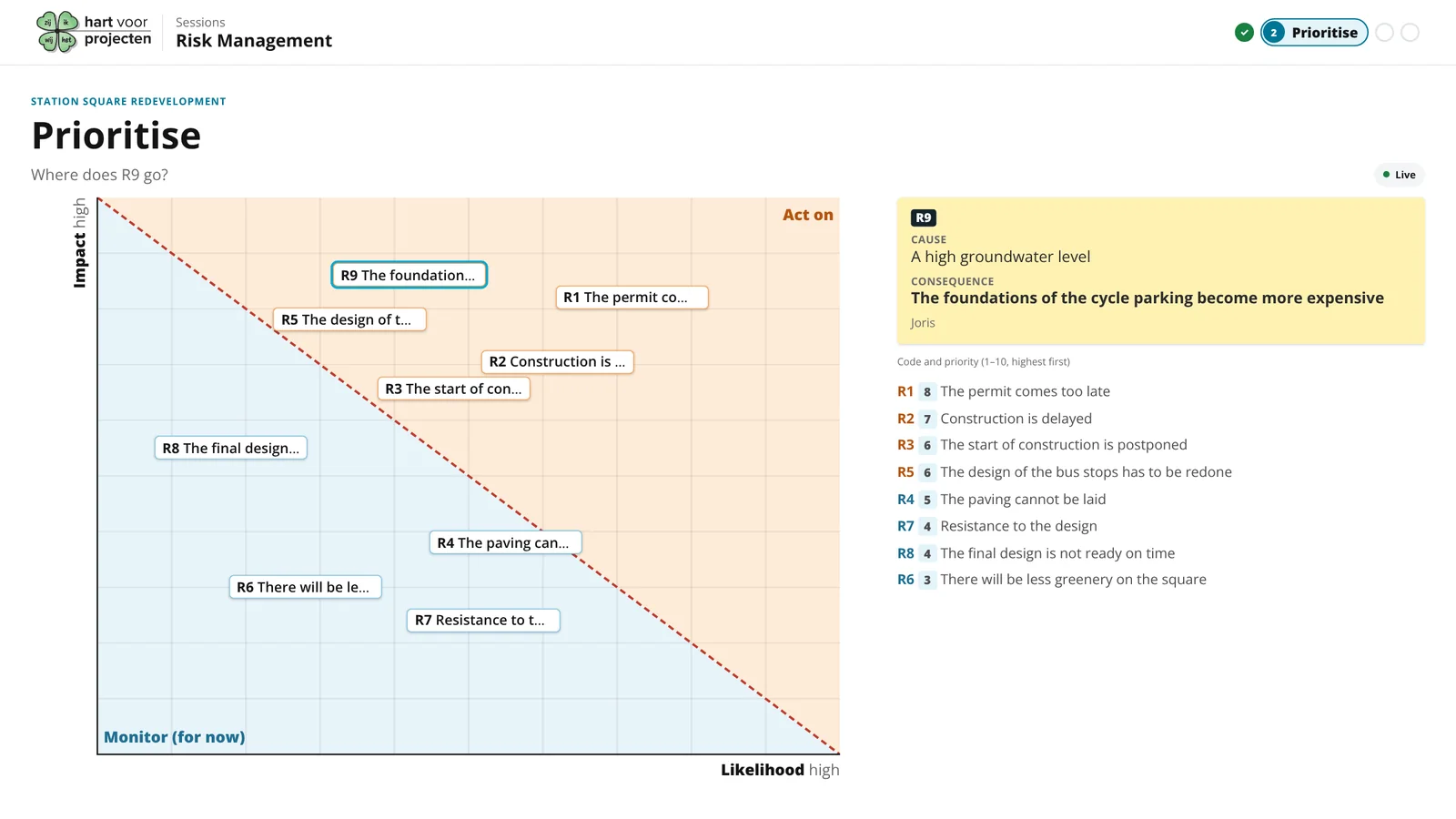
- Where in PDC
- After the activity plan, to check the project contract; again later, when you review the risks
- With whom
- The project team
- How long
- About an hour and a half
- Output
- Risk analysis (Excel, PDF, image), the updated activity plan (Excel, PDF, progress file)
Why together?
With a risk analysis you check and strengthen the project contract, manage expectations and stay alert as a team. If you do it together, everyone brings in their own knowledge of the plan, and the whole team knows which risks you act on and who does what. With Sessions everyone first writes on their own, in silence. So the first or loudest voice doesn’t decide which risks end up on the table.
How the session runs
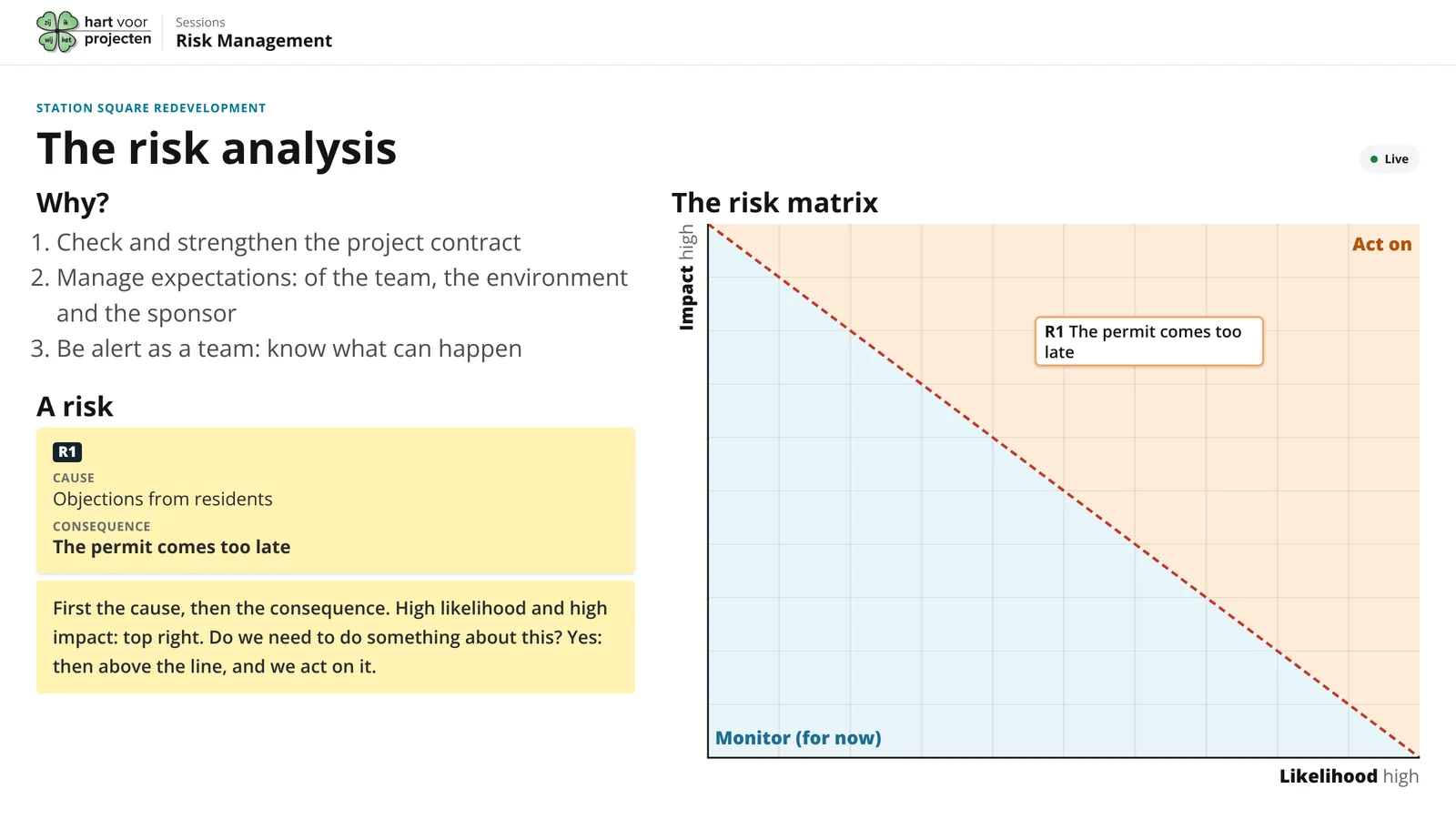
Opening
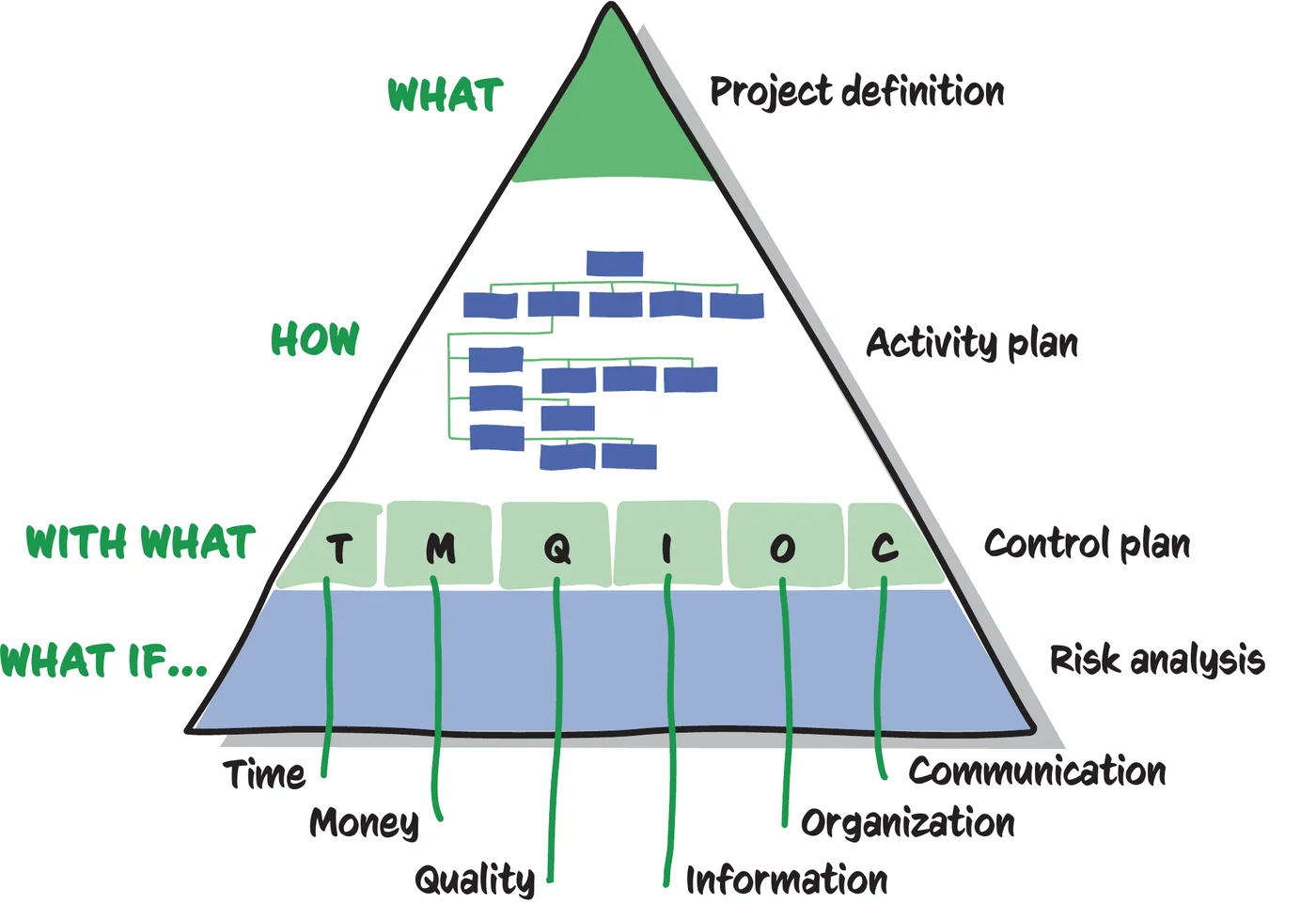
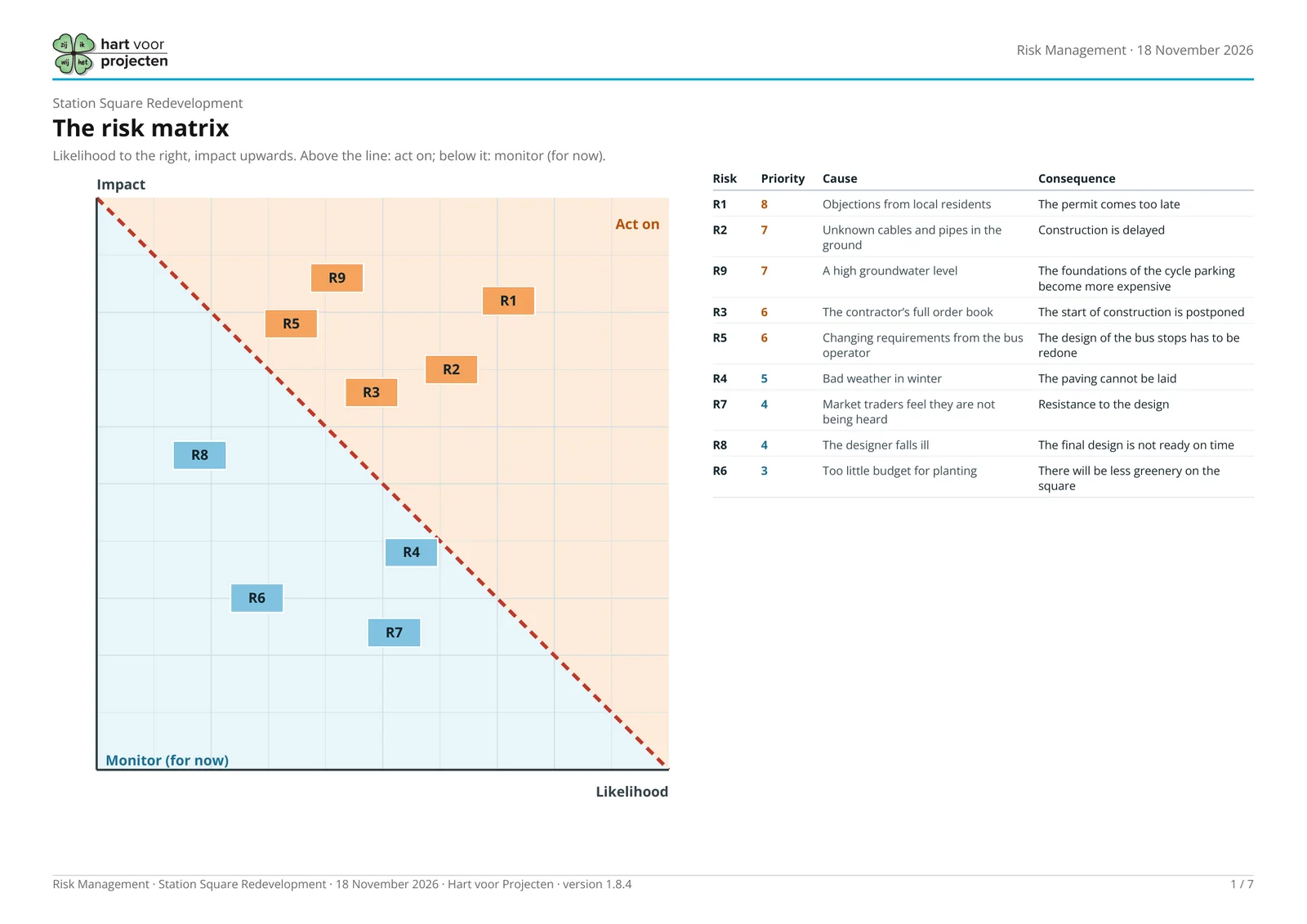
Everyone joins, preferably on a laptop. The facilitator puts the explanation on the screen: why you are doing a risk analysis, an example of a risk and the risk matrix. Likelihood goes to the right, impact upwards. Above the line you act on the risk with measures; below it you monitor.
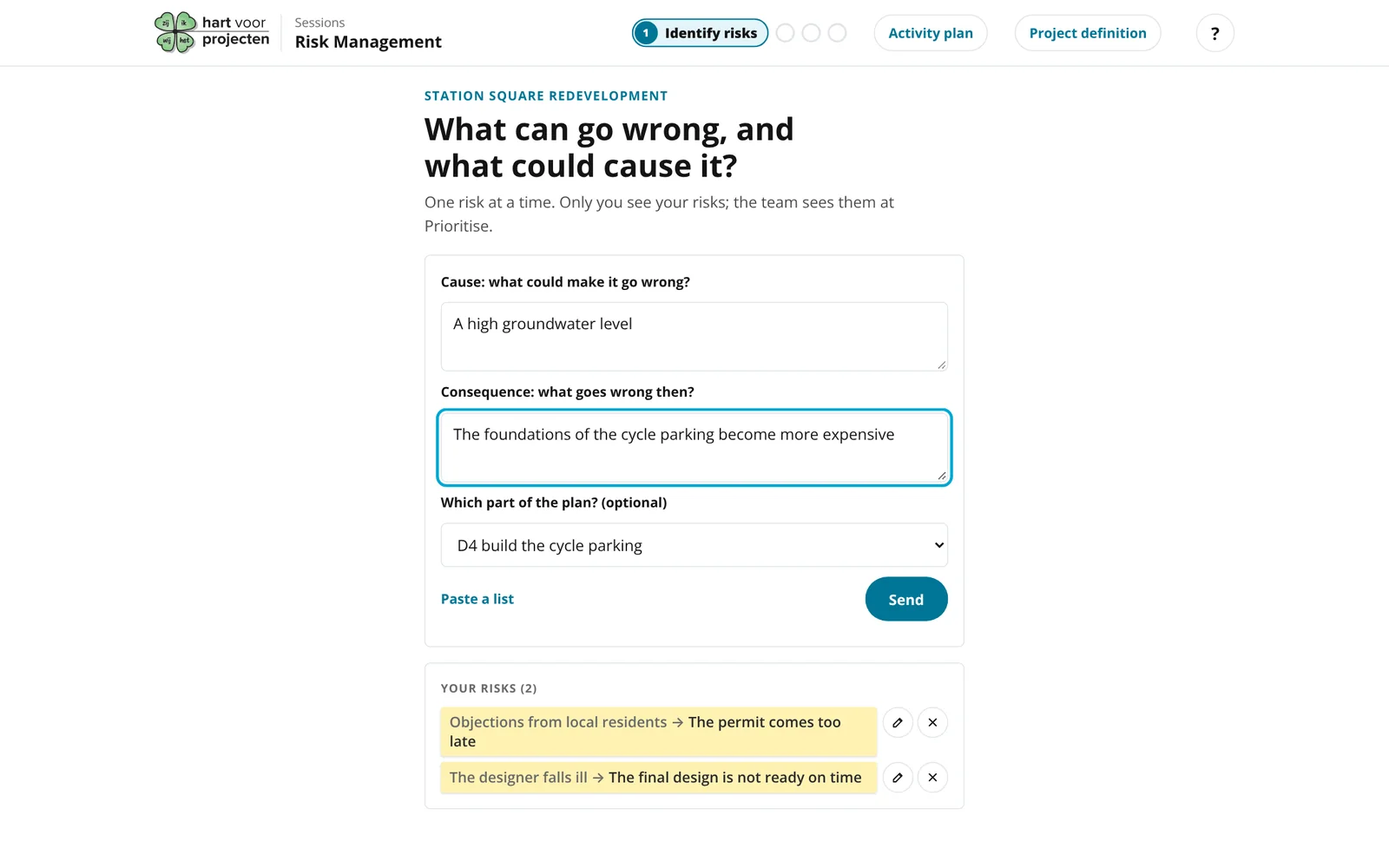
Identifying risks
Everyone writes down the risks in silence, one at a time: first the cause (what could cause it), then the consequence (what goes wrong). For example: “Because local residents object, the permit comes too late.” Team members open the activity plan and the project definition alongside. Everyone sees only their own risks.
Prioritising
Taking turns, someone puts a risk on the table. First you clarify it; whoever has something similar adds it. Then the person who brought it in places it in the risk matrix. In doubt? Ask: do we need to do something about this? Every placed risk gets a number: R1, R2 … Next to the risk matrix everyone sees the risks in order of priority.
Measures
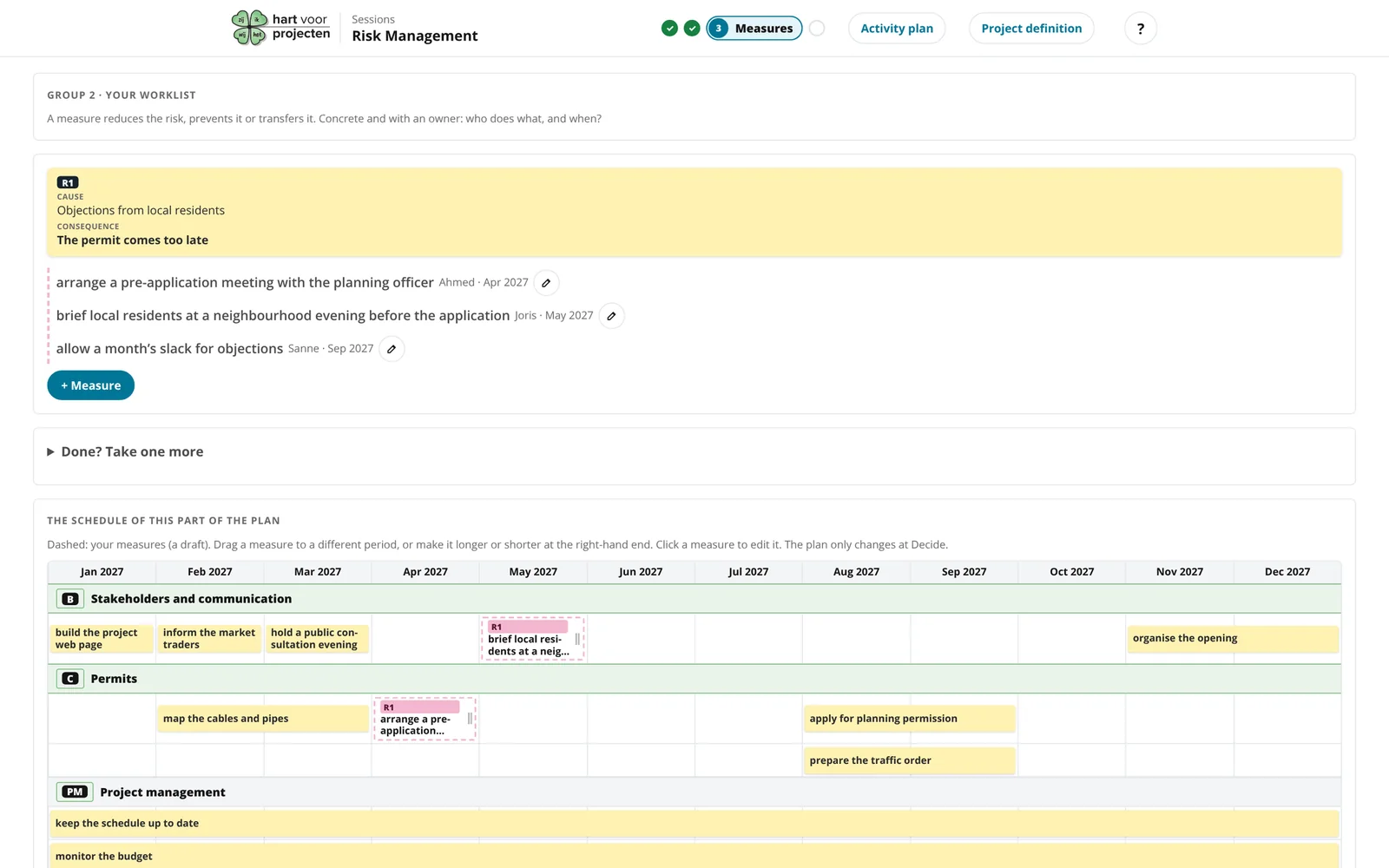
In fixed groups you come up with measures for the risks above the line: reduce, avert or transfer. For each measure: what, who and when, concrete and with an owner. Each group works on one laptop; the measure appears as a draft on the schedule.
Deciding
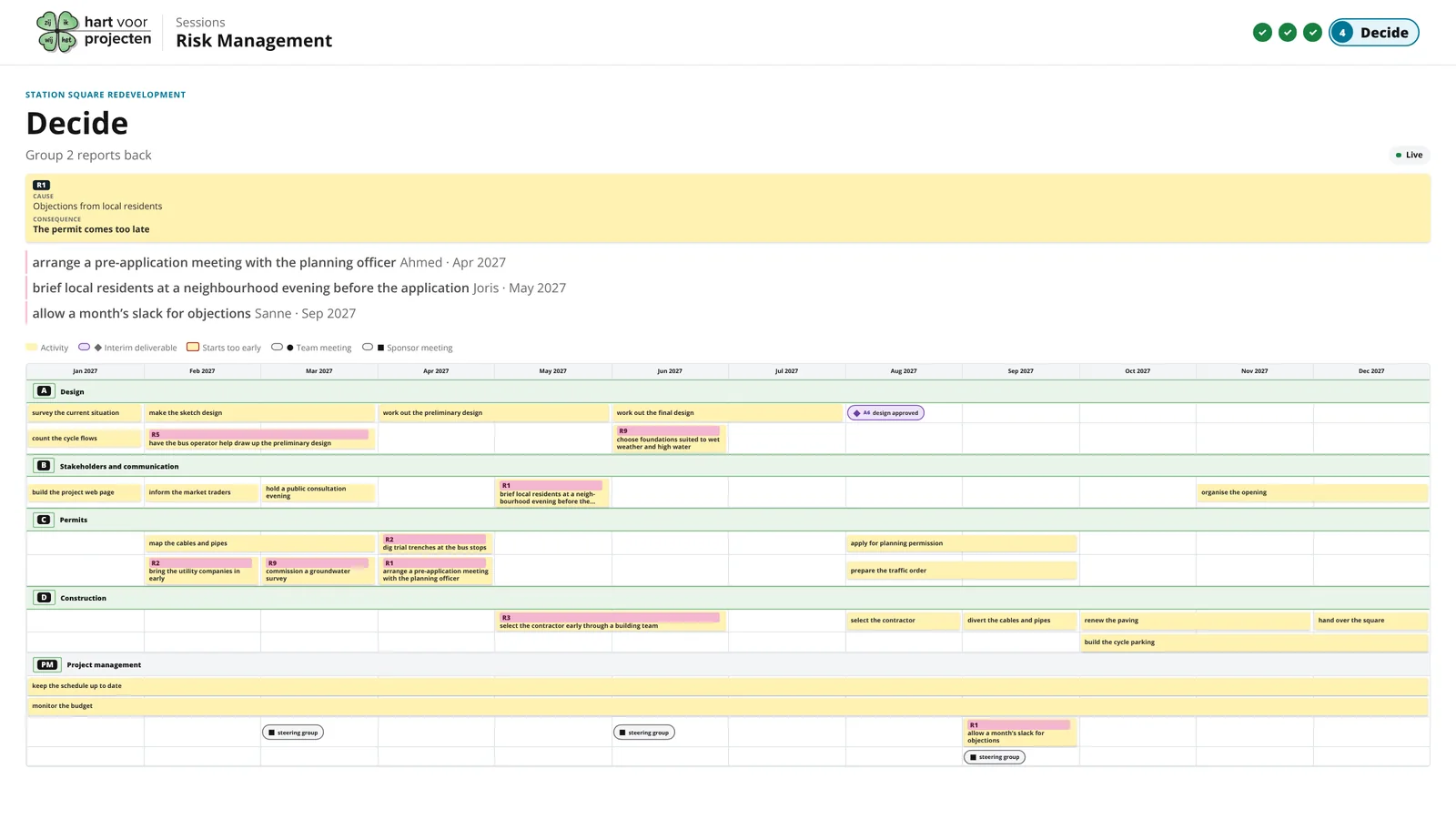
Each group reports back, and together you adjust. Then you put the measures into the activity plan, with the label of their risk. Finally everyone moves cards at the same time until the schedule fits.
The result
You download the risk analysis as an Excel file, as a PDF (the risk matrix with a table alongside, the list of risks and the plan) or as an image. You download the updated activity plan as an Excel file, as a PDF and as a progress file for Activity Plan.
What does a session cost?
One start code is good for one session with this format. You receive it by email within two working days. With the example in the format you practise first, without using up the code.
Good to know
- You don’t have to start from scratch: you build on the activity plan from Activity Plan. The clusters, the activities, the timeline, the project definition and the agreements come along. Is the plan in another file? Then you use your organisation’s own AI tool.
- No plan yet? That works too: the measures then form a new plan.
- Already have a list of risks? You bring it in in one go: every line becomes a risk.
- You put the moment when you review the risks straight into the schedule, as a meeting.
- At a follow-up meeting you continue from the progress file you saved: the risks, their place in the risk matrix and the measures in the plan are still there. When prioritising you see the previous priority alongside.
- Also in English, for international teams.
The other formats
For projects
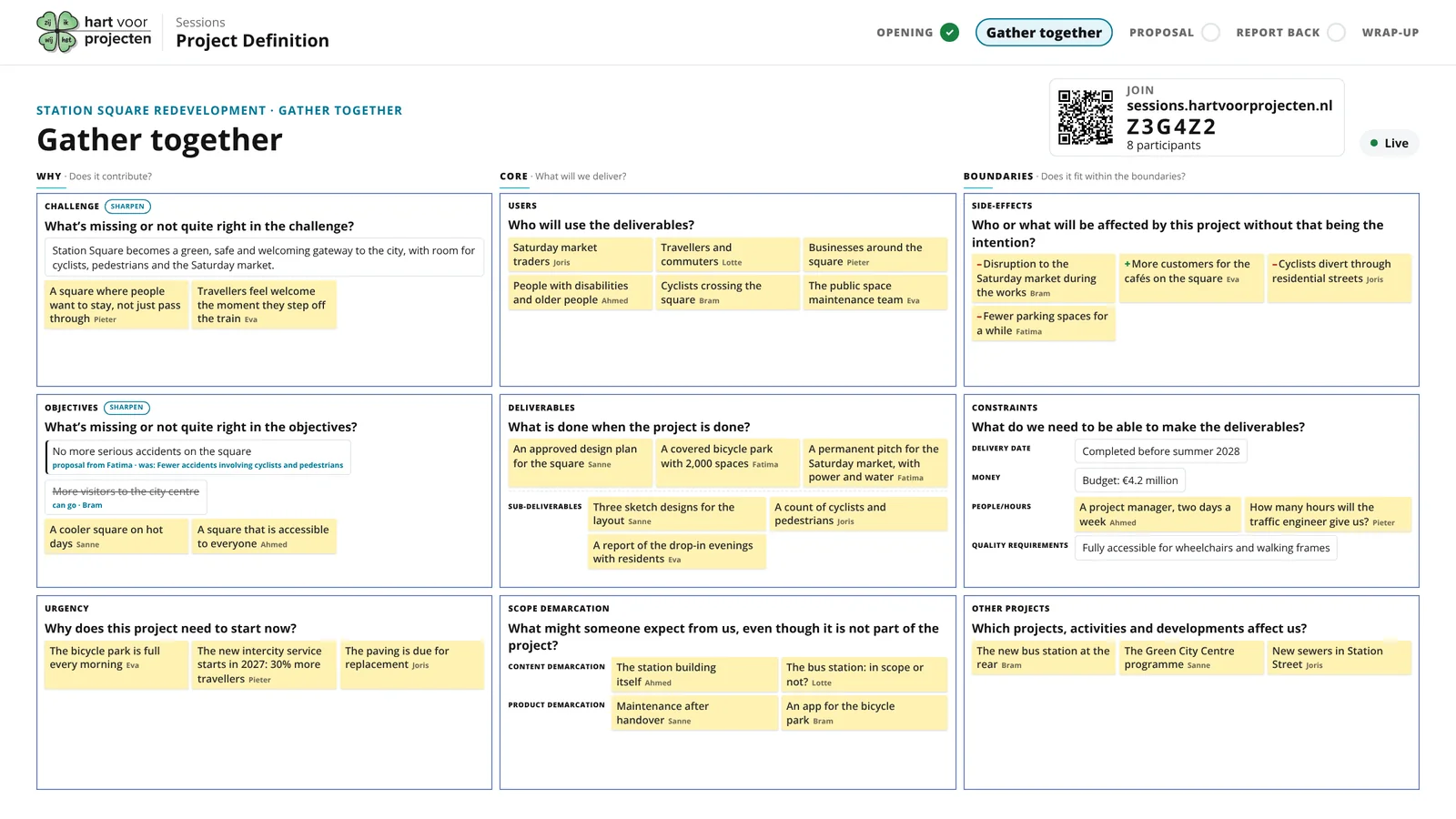 PDC · the WHATProject DefinitionTogether you agree what the project will deliver, for whom, and what is explicitly not included.More about this format →
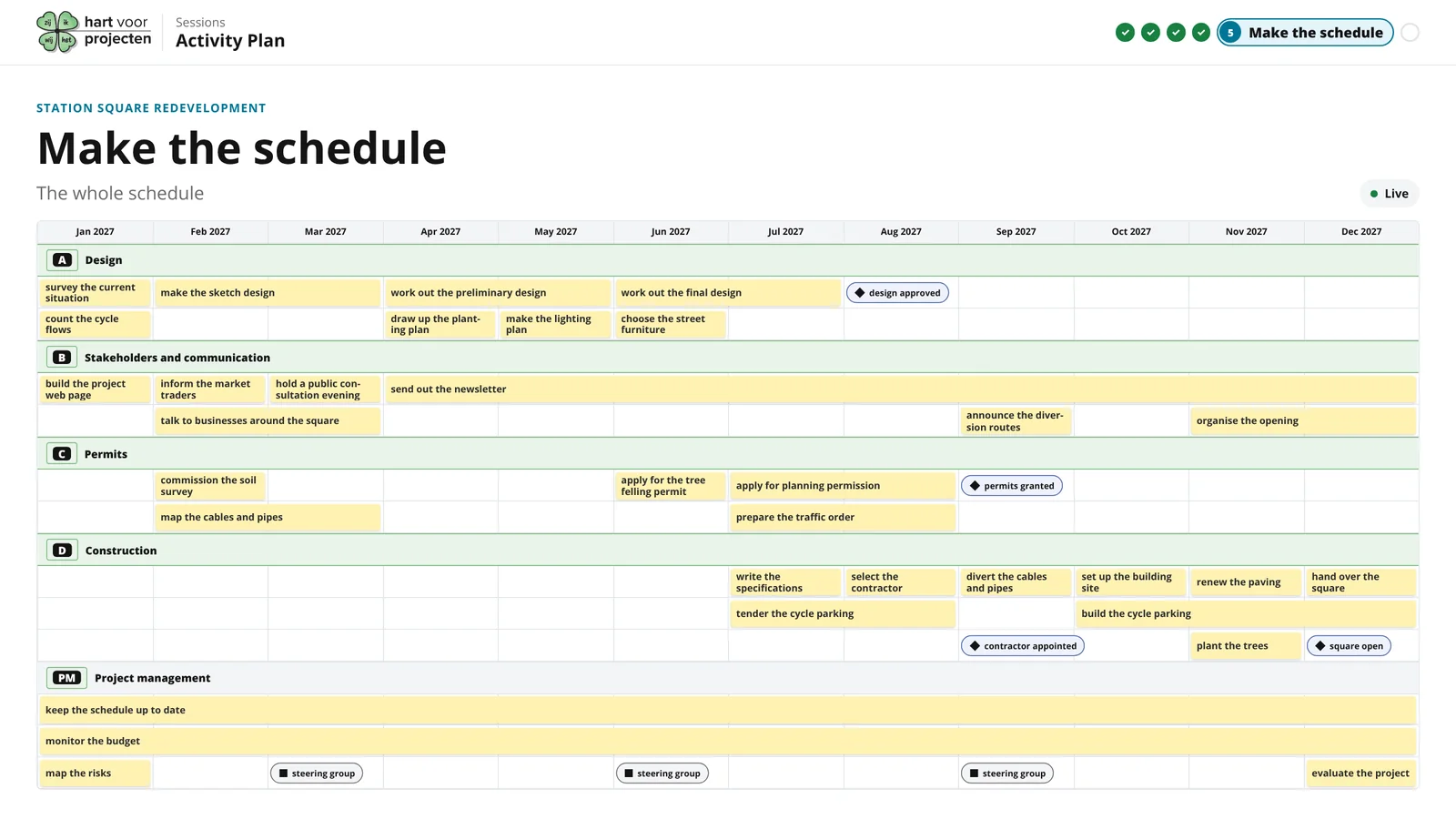 PDC · the HOWActivity PlanTogether you think up the activities, cluster them, divide the tasks and build the schedule.More about this format →
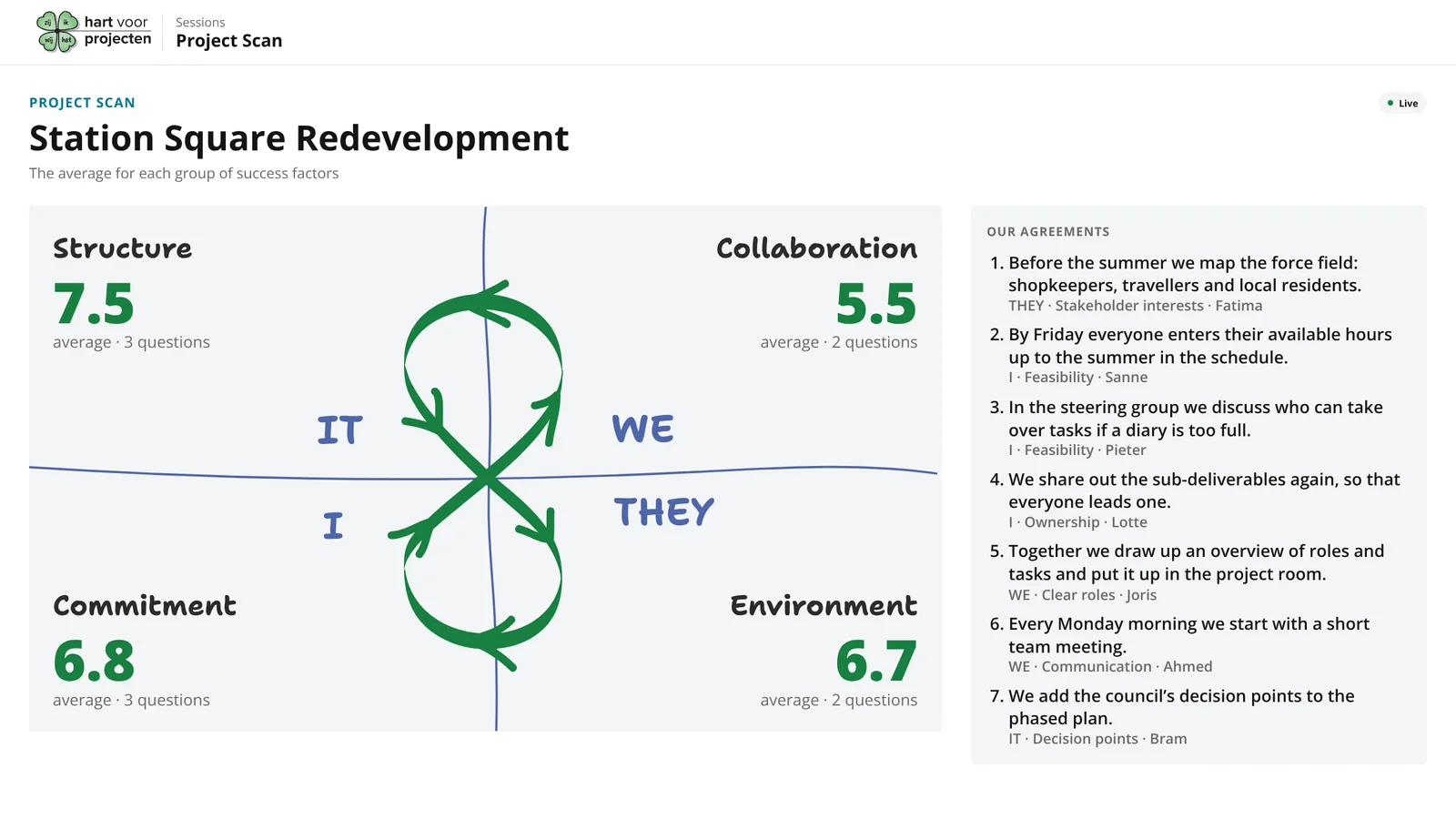 PDC · any timeFree with every start codeProject ScanHow is the project doing? Everyone scores the success factors, and the screen shows the team’s picture.More about this format →
For programmes: Goal Tree · Programme Course


